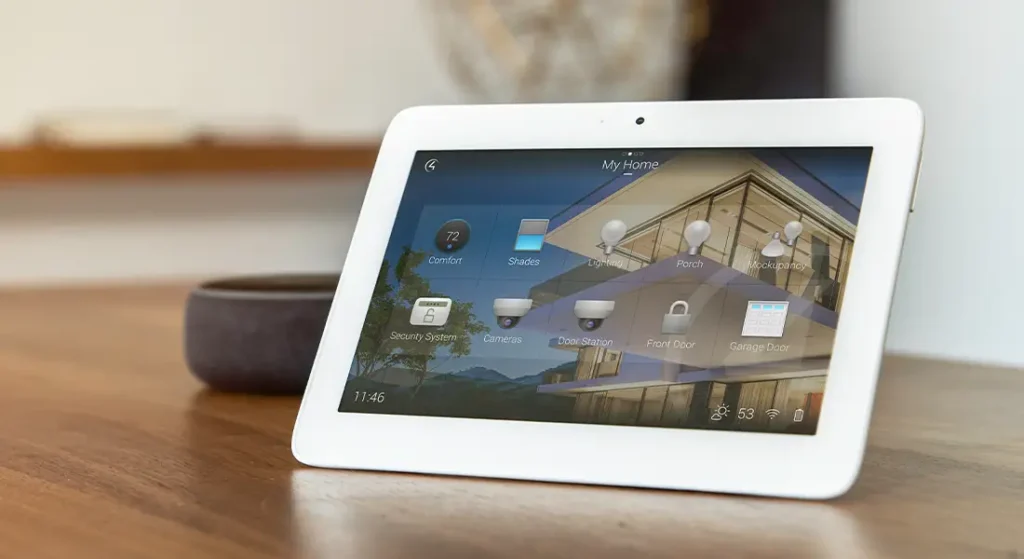
In the era of the Internet of Things (IoT), smart homes have become a reality, offering convenience and automation through connected devices. However, this interconnectedness introduces significant security risks, underscoring the importance of incorporating firewalls into your smart home setup.
Understanding the Security Landscape
Smart homes rely heavily on IoT devices, ranging from smart thermostats to security cameras. These devices, while enhancing our lives, also expose us to various security threats, including unauthorized access, data breaches, and potential physical attacks. The core issue lies in the fact that many IoT devices lack robust security features due to their limited computational resources and outdated software, making them easy targets for cybercriminals.
Why Firewalls Are Essential
Firewalls act as the first line of defense in protecting your smart home from cyber threats. They offer several critical functionalities:
- Network Segmentation: By isolating IoT devices from the main network, firewalls prevent unauthorized access from spreading across your home network, minimizing the impact of a compromised device.
- Access Control: Firewalls allow you to establish who can communicate with your IoT devices, ensuring that only trusted entities can access your smart home systems.
- Threat Detection and Prevention: Advanced firewalls can detect and block potential threats, such as unauthorized access attempts or malware infections, thereby safeguarding your smart home devices and data.
Practical Applications
Imagine your smart home setup includes a security camera and a thermostat. Without a firewall, if an attacker gains access to your security camera, they could potentially use it as a gateway to infiltrate other devices on your network, including your thermostat. With a firewall in place, this scenario becomes much less likely. The firewall would isolate the camera from the rest of your network, making it harder for an attacker to move laterally within your network.
Moreover, firewalls can support secure remote access to your smart home devices, such as enabling you to check your security camera feed from anywhere. This is achieved through the establishment of Virtual Private Networks (VPNs) or encryption of data transmitted between your devices and the remote access platform.
Conclusion
In the rapidly evolving landscape of IoT and smart homes, incorporating a firewall is not just a good idea—it’s essential. Firewalls provide a comprehensive defense mechanism against the myriad of security threats posed by the interconnected nature of modern smart homes. By leveraging firewalls, homeowners can enjoy the benefits of a smart home while significantly reducing the risk of cyberattacks and data breaches.
The Rise of IoT Devices
In today’s world, our homes are no longer just places of rest and relaxation; they’ve transformed into hubs of connectivity, thanks to the Internet of Things (IoT). From smart bulbs that adjust to your mood to refrigerators that order groceries online, the convenience of having everything at our fingertips is undeniable. However, this interconnectedness also introduces a new set of challenges, particularly when it comes to cybersecurity.Article Sponsored Find something for everyone in our collection of colourful, bright and stylish socks. Buy individually or in bundles to add color to your sock drawer!
The Security Challenges of IoT Devices
Imagine your home as a city bustling with life—your smart thermostat, security camera, and voice assistant are its inhabitants. Each device communicates with others, sharing data and making decisions based on that information. This constant exchange of data creates a vast network within your home, which, while convenient, is also a prime target for cybercriminals.
Why Do We Need Firewalls?
Firewalls act as the gatekeepers of this digital city, controlling the flow of traffic in and out of your network. They monitor every device trying to connect to your home network and decide whether to allow or block them based on predefined rules. Think of it like a bouncer at a club: only guests on the list get in, and anyone suspicious gets turned away.
Practical Example: Setting Up a Firewall
Setting up a firewall for your smart home involves a few simple steps:
- Choose Your Firewall: There are several types of firewalls available, including hardware firewalls (like routers with built-in firewall features), software firewalls (programs installed on your computer or smartphone), and cloud-based solutions. For most homeowners, a router with built-in firewall capabilities is sufficient.
- Configure Your Firewall: Once you’ve chosen your firewall, the next step is to configure it. This process varies depending on the type of firewall, but generally, it involves setting up rules that define which devices can communicate with each other and which cannot.
- Regularly Update Your Firewall: Just like your antivirus software, your firewall needs regular updates to protect against the latest threats. Make sure to check for updates regularly and install them as soon as they’re available.
Conclusion
In an era where our homes are becoming increasingly smart, ensuring your digital safety is crucial. A well-configured firewall is one of the best defenses against potential cyber threats, allowing you to enjoy the convenience of a smart home without compromising on security. Remember, the key to a secure smart home lies in proactive measures like setting up and maintaining a robust firewall system.
The Necessity of Firewalls in Smart Homes
In the rush to market, many Internet of Things (IoT) devices, including smart home gadgets, are released without adequate security measures. This haste can leave your smart home exposed to cyber threats, making it crucial to understand why firewalls are essential in this context.
Example Scenario: The Unsecured Smart Thermostat
Imagine you’ve just installed a smart thermostat to optimize your home’s temperature. However, because it was rushed to market without robust security features, hackers could potentially gain control over it. They might adjust your thermostat to extreme temperatures, waste energy, or even use it as a gateway to access other devices on your network. This scenario highlights the importance of having a firewall to protect your smart home ecosystem from such vulnerabilities.
Privacy vs. Security: Why Details Matter
User manuals for smart home devices often fall short in providing comprehensive details on privacy and security practices. This oversight can lead homeowners to underestimate the risks associated with their connected devices. For instance, a smart speaker might collect data on your daily routines without clear communication of how this data is stored or shared. A well-implemented firewall acts as a barrier, protecting your personal information from unauthorized access and ensuring that your smart home remains a safe space.
Implementing Firewalls: A Practical Approach
To safeguard your smart home effectively, consider implementing a firewall solution tailored to your needs. This could involve setting up hardware firewalls, using software solutions, or adopting a combination of both. For example, a hardware firewall can be installed between your router and modem to monitor and filter incoming and outgoing traffic, while software firewalls offer real-time protection against malware and other cyber threats.
Conclusion: Embracing Firewalls for Peace of Mind
In today’s digital age, embracing firewalls is no longer optional but imperative for smart home owners. By understanding the risks posed by unsecured IoT devices and the critical role firewalls play in mitigating these risks, you can enjoy the convenience of a smart home without compromising on security and privacy. Remember, the key to a secure smart home lies in proactive measures, starting with the implementation of effective firewall strategies.
Data Breach Risks: The Importance of Firewalls
In the digital age, our homes have become increasingly connected, with smart devices ranging from thermostats to security cameras. This connectivity brings convenience but also introduces significant risks, particularly when it comes to data breaches. Imagine your home network as a gateway to your personal fortress. Without proper protection, like a firewall, this gateway could be easily breached, leading to unauthorized access to sensitive information such as financial records or personal photos stored on cloud services.
Example Scenario: The Unprotected Gateway
Consider a scenario where your smart thermostat, which controls the temperature in your home, is compromised. Attackers could potentially gain access to your home network through this device, exploiting vulnerabilities to steal your identity or drain your bank account. This is not a hypothetical situation; real-world examples have shown that unsecured smart devices can be used as entry points for cybercriminals.
Smartphone Dependency: Amplifying the Risk
Another critical aspect to consider is the dependency on smartphones for controlling smart home devices. Smartphones, while convenient, often lack the robust security measures found in dedicated home security systems. They act as portable databases containing vast amounts of personal information, making them attractive targets for hackers. If your smartphone is compromised, the entire ecosystem of smart home devices under its control could be at risk.
Mitigating Risks Through Firewalls
To protect your smart home from these threats, implementing a firewall is crucial. A firewall acts as a barrier between your home network and the external world, monitoring incoming and outgoing traffic to prevent unauthorized access. It’s akin to having a bouncer at the entrance of your digital fortress, ensuring only authorized guests enter.
Practical Steps to Enhance Security
- Update Firmware Regularly: Manufacturers frequently release firmware updates to patch security vulnerabilities. Keeping your smart devices updated ensures you benefit from these fixes.
- Use Strong, Unique Passwords: For both your Wi-Fi network and each smart device, use strong passwords that are unique and difficult to guess.
- Enable Two-Factor Authentication (2FA): Adding an extra layer of security, 2FA requires users to verify their identity using two forms of identification before accessing accounts or networks.
- Regularly Review Device Permissions: Ensure that each smart device connected to your network has minimal permissions necessary for its operation, reducing potential attack vectors.
Conclusion: The Necessity of Firewalls in Smart Homes
In conclusion, the question “Does my smart home need a firewall?” is answered with a resounding yes. With the increasing reliance on smart technology within our homes, the risk of data breaches and unauthorized access has never been higher. By understanding these risks and taking proactive steps, such as implementing firewalls and adhering to best security practices, we can enjoy the conveniences of smart homes without compromising our safety and privacy.
Why Your Smart Home Needs a Firewall
Understanding Firewalls in Smart Homes
Firewalls serve as the first line of defense in protecting your smart home from external threats. Imagine your home network as a castle; a firewall acts like its moat, keeping unwanted visitors out. It’s not just about keeping intruders away but also about ensuring that only authorized access is granted to your home’s digital realm.
How Firewalls Secure Your IoT Ecosystem
Smart homes are filled with Internet of Things (IoT) devices, ranging from smart thermostats to security cameras. Each of these devices represents a potential entry point for cybercriminals. A firewall helps mitigate this risk by segregating IoT devices onto separate networks, often referred to as “guest” networks. This strategy is akin to having a dedicated entrance for guests while keeping the main door locked. It minimizes the impact of a compromised device, ensuring that even if one device is infiltrated, the rest of your home remains secure.
Practical Example: Setting Up a Guest Network
To illustrate how this works, let’s consider setting up a guest network on your router. Here’s a simplified step-by-step guide:
- Access Your Router: Open a web browser and enter your router’s IP address. The default is usually something like
192.168..1or192.168.1.1. - Navigate to Wireless Settings: Look for a section labeled “Wireless,” “LAN,” or something similar.
- Create a New Network: Find an option to create a new wireless network. Name it something distinct, like “Guest Wi-Fi.”
- Apply Changes: Save your settings. Now, all devices connected to this network will be isolated from your primary network, enhancing overall security.
Why It Matters
In today’s interconnected world, the importance of securing your smart home cannot be overstated. With the increasing number of IoT devices, the risk of cyberattacks is higher than ever. A firewall is not just a recommendation—it’s a necessity for safeguarding your home and personal data against potential threats.
By understanding and implementing firewall strategies, such as creating guest networks for IoT devices, you significantly reduce the vulnerability of your smart home to external attacks. Remember, the goal is to maintain a balance between convenience and security, ensuring that your smart home remains a safe haven in the digital age.
Understanding Your Smart Home’s Need for a Firewall
Router Integration: The Backbone of Your Defense
Your smart home’s security starts with your router. Think of your router as the gatekeeper of your digital fortress. Its firewall acts as the first line of defense against cyber threats. To maximize its effectiveness, ensure it’s enabled and correctly configured. This step is crucial because many attacks target routers before reaching devices within the network.
Regular Updates: Staying Ahead of Threats
In the ever-evolving landscape of cybersecurity, staying ahead is key. Just like updating your smartphone apps, keeping your firewall software current is essential. Manufacturers regularly release updates to patch vulnerabilities that could be exploited by hackers. By ensuring your firewall is always up-to-date, you’re significantly reducing the risk of falling victim to new threats.
Monitoring and Alerts: Keeping Watch Over Your Network
Knowing what happens in your network is just as important as having defenses in place. Firewalls come equipped with logging features that allow you to monitor network traffic and set up alerts for suspicious activities. These tools act as your early warning system, notifying you of potential intrusions so you can take immediate action.
By focusing on these three pillars—router integration, regular updates, and monitoring—you can significantly enhance the security of your smart home. Remember, the goal is not just to protect your devices but also to safeguard your privacy and peace of mind in the connected world.
Understanding Firewalls in Smart Homes
The Importance of Password Security
In the realm of smart homes, one of the first lines of defense against cyber threats is robust password management. It’s akin to locking your front door; without a strong lock, anyone could walk right in.
Default Password Dangers
Many smart devices come with default passwords set by manufacturers. These are often easily guessable, such as “admin” or “password,” making them a soft target for hackers. Imagine leaving your house key under the doormat—it’s an open invitation for unwanted guests.
Biometric Authentication: A Step Further
To enhance security beyond simple passwords, consider implementing biometric authentication methods. This could be fingerprint recognition, facial recognition, or even voice verification. Think of it as upgrading from a basic lock to a biometric safe—only you can unlock it.
Keeping Your Devices Secure with Firmware Updates
Another crucial aspect of smart home security is staying current with firmware updates. It’s like regularly servicing your car to keep it running smoothly and safely.
Patching Vulnerabilities
Manufacturers release firmware updates to fix known security vulnerabilities. Ignoring these updates is like driving without checking your tires—eventually, you’ll hit a pothole. By keeping your devices updated, you plug potential holes in your smart home’s digital defenses.
How to Stay Updated
Most smart devices will notify you when an update is available. Follow the prompts to install these updates promptly. If notifications aren’t coming through, check the manufacturer’s website or contact their support team for guidance.
Conclusion
Securing your smart home involves more than just setting up a firewall. It’s about taking a comprehensive approach to cybersecurity, starting with strong passwords and regular firmware updates. By doing so, you create a fortress around your digital home, protecting it from the ever-evolving threats of the cyber world.
Understanding Firewalls in Smart Homes
The Importance of Guest Networks
In the realm of smart homes, one of the most effective strategies to enhance security is through the use of guest networks. Imagine your smart home as a fortress; within its walls, you have your main network, which is akin to the castle’s inner sanctum—safe, secure, and housing all your valuable assets (like your personal photos, documents, and private conversations). Now, consider the Internet of Things (IoT) devices as guests visiting your fortress. These could range from smart thermostats to security cameras, each potentially vulnerable to cyber threats.
By isolating these IoT devices onto a separate network, you’re essentially creating a guest wing in your fortress. This setup prevents these less secure devices from directly accessing your main network and its sensitive data. It’s like having a separate entrance for visitors, ensuring they don’t wander into areas they shouldn’t be in without supervision.
Disabling Universal Plug & Play (UPnP)
Another crucial step in fortifying your smart home against cyber threats is disabling Universal Plug & Play (UPnP). Think of UPnP as an automatic door opener in your fortress. While convenient, it can also be a backdoor for intruders. UPnP allows devices to automatically discover each other on the network and communicate without manual intervention. However, this ease of use comes at the cost of security, as it opens pathways for malicious software to spread across your network.
Turning off UPnP is like locking that automatic door. It forces each device to manually request access to the network, giving you the opportunity to vet each one before granting permission. This process significantly reduces the risk of unauthorized access and potential attacks, making your smart home more resilient.
Practical Steps and Considerations
- Isolating IoT Devices: When setting up your guest network, ensure it’s securely segregated from your main network. Use strong, unique passwords and consider implementing additional layers of authentication.
- Disabling UPnP: Access your router’s settings to disable UPnP. This process varies depending on the manufacturer, so refer to your router’s manual for specific instructions.
By adopting these practices, you’re taking significant steps towards safeguarding your smart home from cyber threats. Remember, the goal is not to eliminate all risks but to create a layered defense that makes breaching your home’s digital perimeter as difficult as possible.
Understanding Firewalls in Your Smart Home
In today’s interconnected world, our homes have become smarter, but so have the threats against them. A firewall is a critical component in protecting your smart home from cyber threats. But what exactly is a firewall, and why does your smart home need one?
What is a Firewall?
Imagine your smart home as a fortress. The firewall acts as the gatekeeper, standing guard between your private network and the vast, unpredictable internet. Its primary job is to filter incoming traffic, allowing only legitimate requests through while blocking malicious ones. This ensures that even if an attacker tries to breach your defenses, they won’t be able to gain unauthorized access to your home’s systems.
Why Your Smart Home Needs a Firewall
With the proliferation of IoT devices, such as smart thermostats, security cameras, and voice assistants, your home’s digital footprint is larger than ever. Each device represents a potential entry point for hackers. A firewall helps secure these entry points by monitoring all data coming into your network. It’s like having a vigilant watchdog that never sleeps, ensuring that every bit of information passing through your home’s digital gates is safe.
Beyond the Basics: Comprehensive Security Strategies
While firewalls are essential, they shouldn’t be your only line of defense. A robust smart home security strategy involves several layers:
- Strong Device Passwords: Treat each device in your smart home like a bank account. Use unique, complex passwords to protect them from unauthorized access.
- Regular Firmware Updates: Manufacturers regularly release updates to fix vulnerabilities. Keeping your devices updated ensures you benefit from these fixes, patching up potential security holes.
- Careful Network Configuration: Just as you wouldn’t leave your front door wide open, avoid exposing your network unnecessarily. Limit who can connect to your Wi-Fi and what devices can communicate within your network.
Practical Example: Setting Up a Basic Firewall
If you’re setting up a basic firewall for your smart home, consider using a router with built-in firewall features. Most modern routers offer settings that allow you to block certain types of traffic or restrict access to specific devices. Here’s a simple step-by-step guide:
- Access Your Router’s Settings: Open a web browser and enter your router’s IP address. This is usually found in the router’s manual or on a sticker on the device itself.
- Navigate to the Firewall Section: Look for sections labeled “Firewall,” “Security,” or something similar.
- Enable Basic Firewall Features: Enable features like SPI (Stateful Packet Inspection) and NAT (Network Address Translation). These help identify and block suspicious activity.
- Customize Rules: Set rules to block unwanted inbound traffic and restrict outbound traffic from specific devices.
By implementing these strategies, you can significantly enhance the security of your smart home, ensuring that you can enjoy its convenience without sacrificing your digital safety. Remember, the key to smart home security lies in layering your defenses—firewalls are just the beginning.