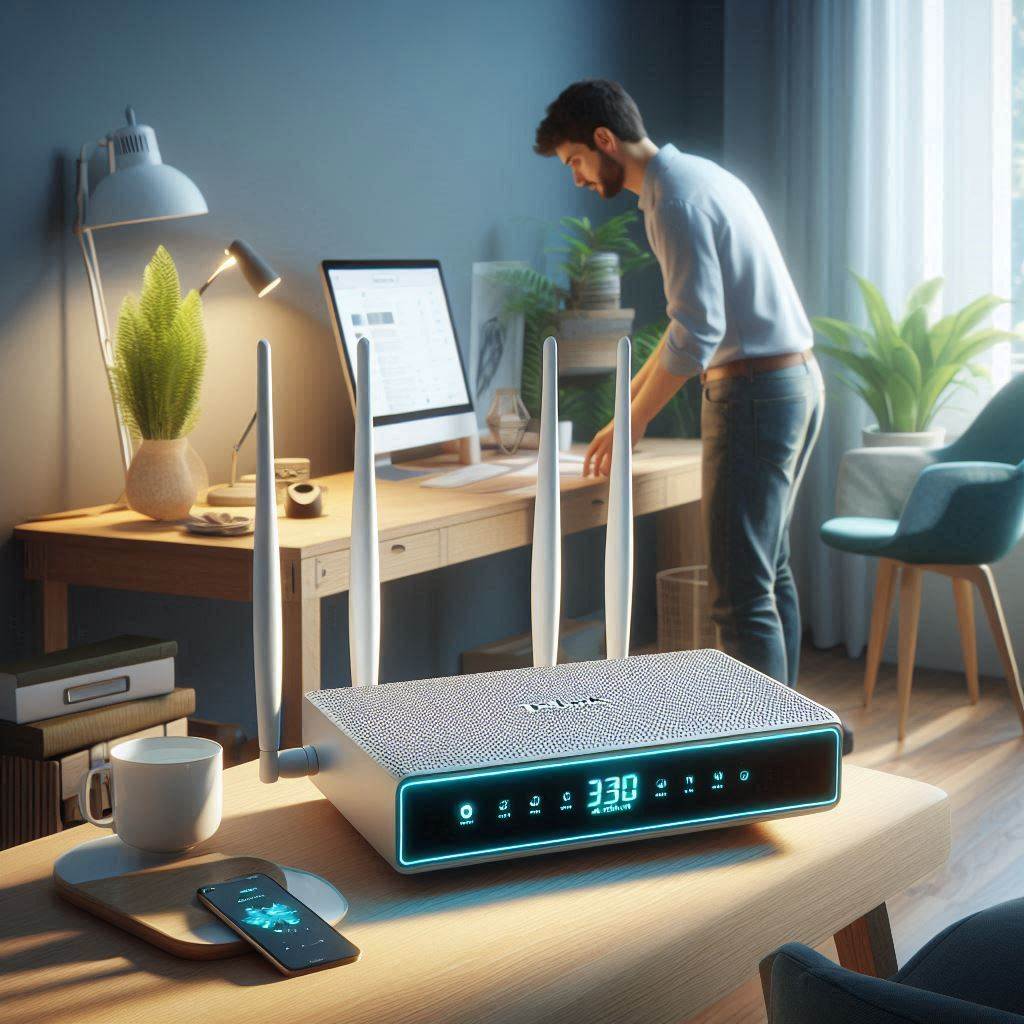
Selecting the right router for your smart home is crucial for ensuring both optimal performance and robust security. With the proliferation of IoT devices, from smart bulbs to security cameras, choosing a router that can handle multiple connections seamlessly while keeping your network safe is paramount. Let’s explore some of the best routers designed with smart home security in mind, highlighting their advanced features and benefits.
Best for Large Homes: Asus ZenWiFi XT8 (2-Pack)
Ideal for expansive homes or those with numerous “dead zones,” the Asus ZenWiFi XT8 mesh system offers unparalleled coverage and speed. Its sleek design blends seamlessly into any decor, and the system’s performance excels across various ranges, ensuring every corner of your home remains connected. Key features include:
- Versatile Connectivity: Each unit acts as a full router with three gigabit LAN ports, a 2.5-Gbps WAN/LAN, and a USB 3.1 port.
- Intuitive App: The accompanying app simplifies management, offering features like band splitting, guest networks, and activity prioritization.
- Comprehensive Security: Free lifetime access to comprehensive parental controls and anti-malware protection enhances your home’s digital safety.
Best for NAS: Synology RT660ax
For those with significant storage needs or wanting to leverage their router for NAS purposes, the Synology RT660ax stands out. It combines robust performance with Synology’s renowned software ecosystem, making it an excellent choice for both networking and storage enthusiasts.
- Performance and Design: Offers consistent high speeds on both 2.4-GHz and 5-GHz bands, with a 2.5-Gbps WAN/LAN port, one gigabit WAN/LAN, three gigabit LAN ports, and a USB-A 3.2 Gen 1 port.
- Software Ecosystem: The DS Router mobile app and Synology Router Manager provide extensive configuration options, including network security, VPN setup, and Wi-Fi analysis.
- NAS Capabilities: Can function as a fully-fledged NAS server, supporting backups or file sharing, thanks to Synology’s expertise in network storage solutions.
Built-In VPN: Aircove ExpressVPN Router
For users prioritizing privacy and security, the Aircove ExpressVPN Router offers a built-in VPN service, providing an added layer of protection for your network traffic. While it requires a separate ExpressVPN subscription, setting up the VPN at the router level simplifies the process and extends coverage to all devices on your network.
- Privacy Protection: Shields your network from potential threats by encrypting all data passing through the router.
- Ease of Use: An intuitive web dashboard facilitates grouping devices and selecting default servers, enhancing flexibility in managing your network’s security posture.
Best Overall: TP-Link Archer AX55
Offering a balance of affordability and performance, the TP-Link Archer AX55 is an excellent choice for most households. Its Wi-Fi 6 capabilities ensure efficient handling of multiple devices, while the TP-Link Tether app provides easy management of network settings and security features.
- Wi-Fi 6 Performance: Delivers solid performance across a wide area, with MU-MIMO, beamforming, and WPA3 support for enhanced connectivity and security.
- Feature-Rich Management: The Tether app allows for traffic monitoring, band splitting, guest network creation, and automatic updates, among other functionalities.
- Basic Security Tier: Includes network scanning, Quality of Service (QoS), and basic parental controls in the free HomeShield tier, with the option to upgrade for more advanced security features.
Each of these routers brings unique advantages to the table, catering to different needs within the realm of smart home security. Whether you’re looking for extensive coverage, NAS functionality, built-in VPN services, or a blend of affordability and performance, there’s a router out there tailored to enhance your smart home experience securely.
Understanding the Importance of Network Security in Smart Homes
In today’s digital age, the concept of a smart home isn’t just about convenience; it’s about creating a seamless blend of technology and lifestyle. However, with every device that connects to your Wi-Fi, the potential for cyber threats increases. That’s why selecting the right router becomes crucial for safeguarding your smart home ecosystem.
Key Features to Look For in a Smart Home Router
Advanced Security Suites
At the heart of a secure smart home lies a powerful router equipped with advanced security suites. These suites offer comprehensive protection against malware, viruses, and unauthorized access. Look for routers that support the latest encryption standards such as WPA3, ensuring your data remains encrypted even when transmitting over public networks.
Parental Controls
Parental controls are often overlooked but play a vital role in maintaining a secure smart home environment. They allow you to manage and restrict internet access for different users within your household, preventing unauthorized access to sensitive information and inappropriate content.
Latest Encryption Standards
Encryption is the backbone of network security. Routers that support the latest encryption standards, such as WPA3, provide an additional layer of security, making it significantly harder for hackers to intercept your data. This ensures that all communications within your smart home remain private and secure.
Practical Examples: Enhancing Your Smart Home Security
Imagine your smart home setup includes a plethora of devices ranging from smart bulbs and thermostats to security cameras and door locks. With each device connecting to your Wi-Fi, the complexity of managing security increases. A router with advanced security features can simplify this process, offering peace of mind knowing your home is protected.
For instance, if you have children in the house, enabling parental controls on your router can help limit their exposure to harmful content online while also protecting them from potential cyber threats. Similarly, by ensuring your router supports the latest encryption standards, you’re not only securing your current devices but also future-proofing your smart home against evolving cyber threats.
Conclusion: Investing in the Right Router Pays Off
Choosing the right router for your smart home is an investment in both your comfort and safety. By focusing on advanced security suites, parental controls, and the latest encryption standards, you can create a fortress around your smart home, ensuring that every device operates securely and efficiently. Remember, the key to a secure smart home starts with a robust router.
Understanding Advanced Routers for Smart Home Security
In today’s digital age, securing your smart home network is paramount. Modern routers have evolved significantly from simple devices that just connect your devices to the internet. They now serve as the first line of defense in your cybersecurity arsenal, offering advanced features designed to protect your network from various threats.
The Evolution of Router Security
Routers have come a long way since their inception. Early models were primarily concerned with connecting devices to the internet, leaving the security aspect largely unaddressed. However, as cyber threats became more sophisticated, router manufacturers recognized the need for enhanced security measures. Today, top-tier routers integrate comprehensive security suites that extend far beyond basic encryption.
Key Features of Advanced Router Security Suites
- Intrusion Prevention: This feature monitors your network for suspicious activity and blocks potential intrusions before they can cause harm. Imagine your router as a vigilant guard, constantly scanning for unauthorized entry attempts and swiftly taking action to prevent them.
- DDoS Protection: Distributed Denial of Service (DDoS) attacks aim to overwhelm your network with traffic, rendering it inaccessible. Advanced routers shield your network from such attacks, ensuring your smart home remains operational even when faced with large-scale cyber assaults.
- Firewall Management: A robust firewall acts as a barrier between your internal network and the outside world, controlling both incoming and outgoing traffic. It’s akin to having a fortress wall around your castle, only allowing trusted visitors through.
- Automatic Security Updates: Cybersecurity threats evolve rapidly, requiring constant vigilance. Automatic updates ensure your router’s security software stays current, providing ongoing protection without manual intervention.
Practical Examples: Enhancing Your Smart Home Security
Let’s consider a scenario where your smart thermostat is compromised, potentially leading to unauthorized control over your heating system. With an advanced router featuring intrusion prevention, this threat is mitigated effectively. Similarly, if your smart doorbell camera is targeted by a DDoS attack, the router’s protection mechanisms will keep your network stable and secure.
Conclusion: Investing in Advanced Router Security
Choosing the right router is crucial for safeguarding your smart home. By prioritizing routers with advanced security suites, you’re not just enhancing your network’s defenses; you’re investing in peace of mind. Remember, the best router for smart home security is one that offers comprehensive protection tailored to the evolving landscape of cyber threats.
Understanding Parental Controls in Smart Home Routers
Parental controls in smart home routers have come a long way from simple blocklists to comprehensive systems that offer a wide range of features designed to keep families safe online. At their core, parental controls are tools that enable parents to manage and monitor their children’s internet usage, protecting them from potential dangers such as explicit content, cyberbullying, and excessive use of devices.
Advanced Features of Modern Parental Controls
Modern parental controls go beyond basic filtering by introducing sophisticated features that cater to the evolving needs of families. Here are some key advancements:
User Profiles
User profiles allow parents to create individual settings for each family member. This means that instead of applying one set of rules across all devices, parents can tailor the internet experience for each child according to their age, maturity level, and specific needs. For example, a younger child might have stricter limits on social media access, while an older teenager could be allowed more freedom but still monitored for adult content.
Scheduling
Scheduling features enable parents to set specific times during which certain types of content are blocked. This is particularly useful for managing screen time and ensuring that children do not spend too much time online, especially late at night when they should be sleeping. Parents can schedule downtime periods during which all internet access is restricted, promoting healthier habits and ensuring that children get enough rest.
Traffic Monitoring
Traffic monitoring allows parents to see what their children are doing online in real-time. This feature provides insights into browsing history, visited websites, and even the amount of data being used. By analyzing this information, parents can identify potential issues such as unusual interest in adult content, excessive gaming, or signs of cyberbullying.
Practical Applications and Significance
The significance of these advanced parental control features lies in their ability to empower parents with the tools they need to protect their children in the digital world. By understanding how their children interact with the internet, parents can make informed decisions about what content is appropriate and how to limit exposure to potential risks. This proactive approach not only safeguards children’s well-being but also fosters open conversations about online safety within the family.
In summary, modern parental controls in smart home routers represent a significant advancement in online protection for children. By offering customizable settings, scheduling options, and real-time monitoring, these features equip parents with the necessary tools to navigate the complexities of the internet safely alongside their children.
Understanding WPA3: The Future of Wi-Fi Security
The journey from WPA2 to WPA3 represents a monumental stride forward in the realm of network security. Initially introduced to address the weaknesses inherent in WEP (Wired Equivalent Privacy) and later WPA (Wi-Fi Protected Access), WPA2 offered a substantial improvement by implementing the CCMP/AES (Counter Mode Cipher Block Chaining/Advanced Encryption Standard) protocol for data encryption. However, as with all technological advancements, the emergence of new threats necessitated further evolution.
Introducing WPA3: Enhanced Security Measures
Enter WPA3, the successor to WPA2, designed to bolster the security of wireless networks against emerging vulnerabilities. WPA3 introduces several key enhancements over its predecessor:
- Stronger Encryption: At the core of WPA3 lies a more robust form of encryption, ensuring that even if data packets are intercepted, they cannot be decrypted without the correct key. This is crucial in today’s digital landscape, where cyber threats are increasingly sophisticated.
- Improved Security Protocols: Beyond encryption, WPA3 incorporates advanced security protocols that make brute-force attacks significantly more difficult. By requiring a higher level of authentication, WPA3 acts as a fortress against unauthorized access attempts.
- Safeguarding Your Network: The adoption of WPA3 is not just about keeping up with the times; it’s about future-proofing your network. By upgrading to WPA3, you’re safeguarding your smart home devices, laptops, smartphones, and other connected devices from potential vulnerabilities that could have been exploited through WPA2.
Practical Implications of WPA3
For homeowners and businesses alike, the transition to WPA3 offers tangible benefits:
- Peace of Mind: With WPA3, you can enjoy greater peace of mind knowing that your network is fortified against modern cyber threats.
- Compatibility and Ease of Use: While WPA3 represents a significant upgrade in security, many modern routers and devices already support it. The process of switching to WPA3 is typically straightforward, involving a simple setting change within your router’s configuration interface.
- Future-Proofing Your Smart Home: In the context of smart homes, where numerous devices are constantly communicating with each other and the outside world, the enhanced security of WPA3 becomes even more critical. It ensures that your smart locks, thermostats, cameras, and other IoT devices remain secure from potential hackers.
Conclusion
The move to WPA3 signifies a proactive step towards enhancing the security of our wireless networks. By understanding and adopting WPA3, individuals and organizations can protect themselves against evolving cyber threats, ensuring that their digital assets remain safe in an increasingly connected world.
The Ultimate Router for Smart Home Security: Synology RT260AC
Advanced Security Features
The Synology RT260AC is not just another router; it’s a fortress for your smart home network, designed with top-notch security in mind. It supports the latest WPA3 Personal/Enterprise standards, ensuring that all data transmitted across your network is encrypted and secure. This means no matter how many devices you connect—smart lights, thermostats, cameras, or anything else—you can rest assured knowing your data is protected against unauthorized access.
Dual WAN Support for Uninterrupted Connectivity
One of the standout features of the Synology RT260AC is its dual WAN support. Imagine having two internet connections at your disposal. In case one connection drops, the router automatically switches to the other, ensuring your smart home devices remain connected without missing a beat. This feature is particularly useful during power outages or when your primary ISP experiences downtime.
Exceptional Throughput Capacity
With its high-speed processing capabilities, the Synology RT260AC delivers exceptional throughput capacity. Whether you’re streaming 4K video from your smart TV, playing online games, or downloading large updates for your IoT devices, the router ensures smooth performance even under heavy load. This translates to fewer buffering delays and a more seamless smart home experience.
Robust Security Suite
But what truly sets the Synology RT260AC apart is its comprehensive security suite. Beyond supporting the latest encryption standards, it includes advanced features such as parental controls, guest networking, and firewall settings. These tools allow you to customize your network’s security according to your needs, making it easier to protect your family’s privacy and control who accesses your network.
Conclusion
In summary, the Synology RT260AC is the epitome of a smart home router, offering unparalleled security, reliability, and performance. Its combination of cutting-edge technology, dual WAN support, and robust security features makes it an ideal choice for anyone looking to enhance their smart home’s security and connectivity. By choosing the Synology RT260AC, you’re investing in peace of mind, knowing your smart home is safeguarded with the best.
The Ultimate Router for Smart Home Security: ASUS RT-AX88U
Unleashing WiFi 6 Technology
Dive into the future of home networking with the ASUS RT-AX88U router. This powerhouse introduces WiFi 6 technology, promising to revolutionize how we connect devices within our homes. With its cutting-edge capabilities, it significantly boosts speed and efficiency, ensuring a seamless online experience across all your smart devices.
Advanced Security Features
At the heart of the ASUS RT-AX88U lies its robust security suite, AiProtection Pro. This feature acts as a fortress around your network, safeguarding against the myriad threats that lurk online. It’s designed to combat malware, thwart intrusion attempts, and block access to harmful websites, keeping your digital environment safe and secure.
Practical Applications
Imagine your smart home ecosystem coming alive with the latest updates without any hiccups. That’s the reality when you pair your IoT devices with the ASUS RT-AX88U. From smart bulbs that adjust to your mood to thermostats that learn your schedule, every device benefits from the enhanced connectivity and security offered by this router.
Why Choose ASUS RT-AX88U?
The choice of the ASUS RT-AX88U isn’t just about embracing the future; it’s about securing it. With its blend of high-speed WiFi 6 technology and comprehensive security measures, it stands as the ideal gateway to a safer, smarter home. Whether you’re streaming 4K videos, gaming online, or simply browsing the web, the ASUS RT-AX88U ensures that every connection is fast, reliable, and secure.
Conclusion
In the quest for the best router for smart home security, the ASUS RT-AX88U emerges as a top contender. Its combination of next-generation WiFi technology and advanced security features makes it a standout choice for anyone looking to enhance their home network. Embrace the future of smart home networking with the ASUS RT-AX88U – your gateway to a safer, faster, and more efficient digital lifestyle.
The TP-Link Archer C540 v2: A Blend of Functionality and Affordability
The TP-Link Archer C540 v2 stands out in the realm of smart home routers by seamlessly merging advanced features typically found in enterprise-level devices with the accessibility and cost-effectiveness of consumer-grade options. This router is not just another device on your shelf; it’s a gateway to a safer, smarter home network experience.
Key Features and Benefits
High-End Functionality Meets Affordability
At its core, the Archer C540 v2 is designed to offer top-tier performance without breaking the bank. It achieves this balance through a combination of powerful hardware and efficient software optimization. Whether you’re streaming 4K videos, gaming online, or simply browsing the web, this router ensures seamless connectivity without compromising on speed or reliability.
Enhanced Network Safety with TP-Link HomeCare
One of the standout features of the Archer C540 v2 is its integration with TP-Link HomeCare. This integration extends beyond mere connectivity, providing users with a suite of security tools that are both comprehensive and user-friendly. For starters, HomeCare offers free parental controls, allowing parents to manage and monitor their children’s internet usage effectively. Additionally, it includes a robust antivirus feature, ensuring that your network remains protected against malware and other cyber threats.
Free Parental Controls and Antivirus Protection
The inclusion of free parental controls and antivirus protection for the first three years is a significant advantage for budget-conscious consumers looking to safeguard their homes without incurring additional costs. These features work in tandem to create a secure environment, enabling families to enjoy the best of the internet while staying safe from potential hazards.
Conclusion
In summary, the TP-Link Archer C540 v2 represents a compelling choice for anyone seeking a reliable and affordable router that doesn’t skimp on security. Its combination of high-end functionality, affordability, and integrated security features makes it an excellent investment for enhancing your smart home’s network security. By choosing the Archer C540 v2, you’re opting for peace of mind, knowing that your home network is equipped with the tools necessary to navigate the digital landscape safely and efficiently.
The Ultimate Guide to Choosing the Best Router for Smart Home Security
Selecting the perfect router is akin to fortifying the castle gates of your digital realm—essential for keeping unwanted visitors out. In the context of a smart home, where every device from lights to locks is connected to the internet, choosing the right router becomes even more critical. It’s not just about speed; it’s about safeguarding your home against cyber threats. Here’s how to navigate through the maze of options and emerge with the best router for your smart home security needs.
Understanding Router Security Features
Before diving into the specifics of routers, let’s clarify what makes a router secure. At its core, router security revolves around three main pillars: advanced security suites, parental controls, and encryption standards.
- Advanced Security Suites: Think of these as the castle guards of your network. They actively patrol for intruders, using firewalls and intrusion detection systems to block malicious traffic. Examples include Synology’s Router Manager (SRM) and ASUS’s AiProtection Pro.
- Parental Controls: These act like the castle’s drawbridge, controlling who enters and exits. They allow you to set access rules for each device, ensuring only authorized devices connect to your network. Both Synology and ASUS offer robust parental control features.
- Encryption Standards: Encryption is the castle’s secret language, making it impossible for eavesdroppers to understand the conversations happening within. WPA3 is the current gold standard, offering stronger protection than its predecessor, WPA2.
Top Picks for Smart Home Security Routers
With the basics understood, let’s explore two standout routers that exemplify the principles of smart home security.
Synology RT260AC: The Fortress Keeper
The Synology RT260AC stands tall among routers, offering a comprehensive suite of security features designed to keep your smart home safe. Its Router Manager (SRM) provides advanced firewall settings and intrusion prevention, while also supporting the latest WPA3 encryption. For families, its parental controls offer granular control over device access, ensuring a safe online environment for all members.
Key Features:
- Advanced Firewall & Intrusion Prevention
- Support for WPA3 Encryption
- Robust Parental Control System
ASUS RT-AX88U: The Future Guardian
Stepping into the future with WiFi 6 technology, the ASUS RT-AX88U isn’t just about speed—it’s about security. This router offers cutting-edge protection with AiProtection Pro, which includes malware scanning and a virtual private network (VPN) service. Its adaptive QoS feature ensures that bandwidth is allocated efficiently, prioritizing essential services like video streaming and online gaming without compromising security.
Key Features:
- AiProtection Pro with Malware Scanning
- Virtual Private Network (VPN) Service
- Adaptive QoS for Efficient Bandwidth Allocation
Making Your Choice
Ultimately, the best router for your smart home security depends on your specific needs and preferences. Consider the size of your home, the number of devices you have, and whether you prioritize advanced security features or the latest connectivity standards like WiFi 6. Remember, the right choice is one that not only meets today’s demands but is also flexible enough to adapt to tomorrow’s challenges.
By focusing on these aspects, you can ensure that your smart home remains a sanctuary of safety and convenience, protected by the strongest digital walls money can buy.