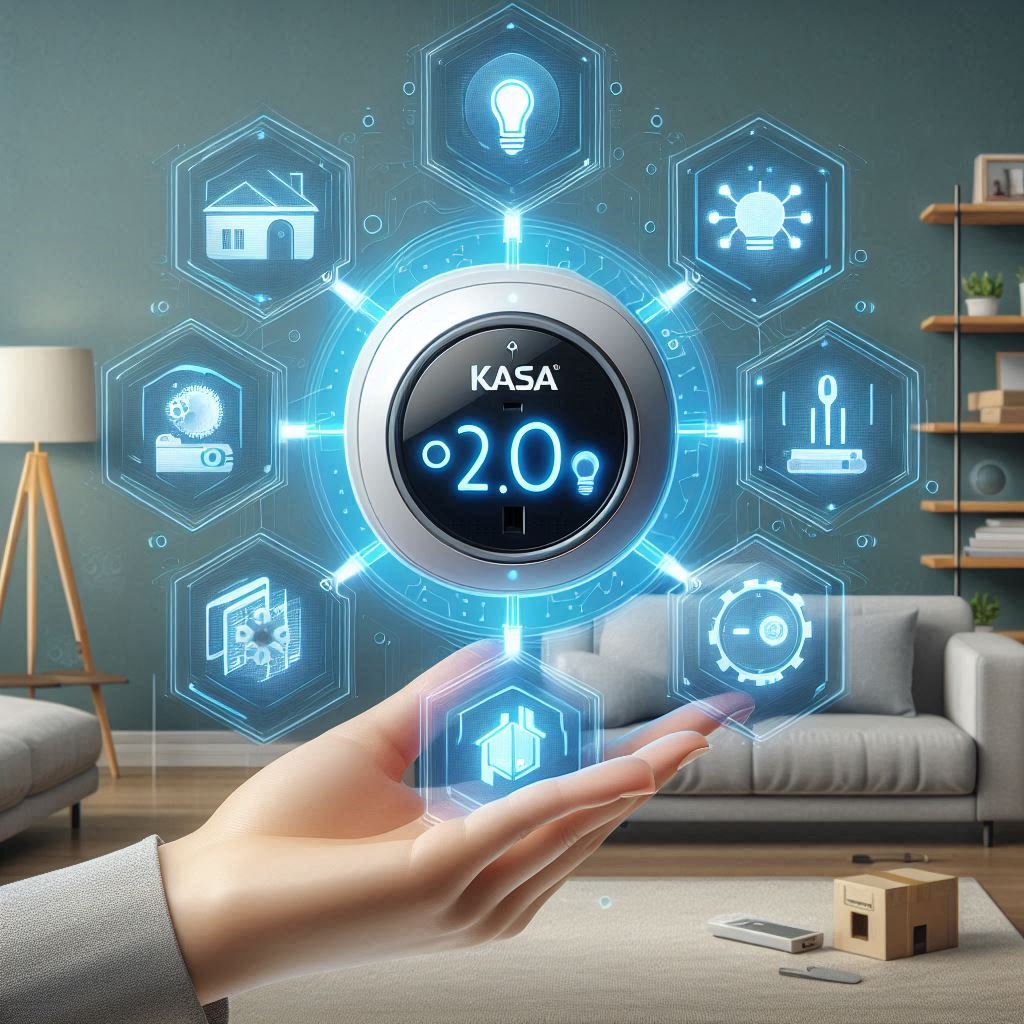
Introduction to Kasa Smart Plugs
Kasa Smart Plugs offer a seamless way to transform traditional appliances into smart devices, enhancing convenience and efficiency in everyday life. Developed by TP-Link, these plugs are designed to be easily integrated into any smart home ecosystem, providing users with the ability to control and monitor their appliances remotely via the Kasa app or voice assistants like Alexa and Google Assistant.
Key Features and Benefits
Remote Control and Management
One of the standout features of Kasa Smart Plugs is their remote control capability. With the Kasa app, users can turn appliances on or off, schedule them to run at specific times, and even monitor energy consumption. This level of control allows for significant savings on electricity bills and enhances the overall efficiency of household operations.
Voice Control Integration
Integration with popular voice assistants such as Alexa and Google Assistant further expands the functionality of Kasa Smart Plugs. By simply issuing voice commands, users can control their appliances without needing to lift a finger. This feature adds a layer of convenience, making it easier to manage daily tasks.
Simple Setup Process
Setting up Kasa Smart Plugs is a breeze. Unlike other smart home solutions that require complex configurations involving hubs and additional accessories, Kasa plugs are plug-and-play devices. All they need is a stable Wi-Fi connection, making them an ideal choice for those looking to dip their toes into the world of smart home technology without overwhelming complexity.
Developer Guide: Integration Opportunities
For developers interested in leveraging the capabilities of Kasa Smart Plugs within their own applications or services, the python-kasa library offers a comprehensive toolkit. This open-source project provides a robust API for interacting with various Kasa devices, including smart plugs, light bulbs, and cameras.
Supported Devices
The python-kasa library supports a wide range of Kasa devices, offering developers extensive possibilities for creating innovative applications. From controlling the state of smart plugs to adjusting the brightness of light bulbs, the library provides granular control over these devices.
Discovering Devices
Developers can utilize the kasa discover command to identify all compatible Kasa devices on the network. This feature simplifies the process of integrating Kasa devices into custom applications, enabling developers to build intuitive interfaces that cater to the needs of end-users.
Feature-Based Interface
The library introduces a feature-based interface that abstracts away the complexities associated with device-specific APIs. This approach allows developers to interact with Kasa devices through a unified API, making it easier to develop cross-device applications.
Example: Controlling a Kasa Smart Plug
Here’s a simple example demonstrating how to control a Kasa Smart Plug using the python-kasa library:
from kasa import SmartPlug

# Initialize the SmartPlug object
plug = SmartPlug('192.168.1.100')

# Turn the plug on
plug.turn_on()

# Turn the plug off after 5 seconds
import time
time.sleep(5)
plug.turn_off()
This example illustrates the ease with which developers can integrate Kasa Smart Plugs into their applications, showcasing the potential for innovation and customization that these devices offer.
Conclusion
Kasa Smart Plugs represent a significant advancement in smart home technology, offering users unparalleled convenience and control over their appliances. Through the python-kasa library, developers are presented with a wealth of opportunities to create innovative applications that leverage the full potential of these devices. Whether you’re building a custom smart home solution or developing an application that integrates with existing smart home ecosystems, Kasa Smart Plugs provide a reliable and versatile platform for achieving your goals.
Dive Into the World of Kasa Smart Plugs
Embark on an enlightening journey through the realm of Kasa Smart Plugs, where cutting-edge technology harmoniously blends with everyday convenience. Designed for both seasoned developers seeking to broaden their expertise and newcomers eager to delve into the Internet of Things (IoT), this comprehensive guide delves into the distinctive capabilities and potential integrations offered by Kasa Smart Plugs. Our aim is to equip you with the knowledge and inspiration needed to innovate and craft unique solutions within your smart home environments.
Understanding Kasa Smart Plugs
Kasa Smart Plugs represent a fusion of simplicity and sophistication, allowing users to control their home appliances remotely via a smartphone app. These devices are not just about turning lights on and off; they signify a gateway to a smarter, more efficient living space. By integrating Kasa Smart Plugs into your smart home setup, you unlock a plethora of possibilities to automate and personalize your environment according to your preferences.
Key Features of Kasa Smart Plugs
- Remote Control: Instantly switch your appliances on or off from anywhere, ensuring your home remains comfortable and secure.
- Scheduling: Program your plugs to operate at specific times, perfect for setting timers for lamps or coffee makers.
- Energy Monitoring: Track energy consumption in real-time, offering insights into your power usage and potential savings.
- Voice Control: Integrate with popular voice assistants for hands-free operation, enhancing convenience and accessibility.
Developer Opportunities with Kasa Smart Plugs
For developers, Kasa Smart Plugs present a golden opportunity to tap into a vast ecosystem of smart home devices. With support for various protocols and APIs, these plugs offer a solid foundation for creating innovative applications that enhance user experience and interaction with their smart homes.
Integrating Kasa Smart Plugs into Your Projects
To leverage the full potential of Kasa Smart Plugs in your development projects, understanding the underlying technologies and APIs is crucial. The Kasa SDK provides a comprehensive set of tools and documentation to help developers integrate these plugs seamlessly into their applications.
Example: Creating a Custom Automation Script
# Example Python script to turn on a Kasa Smart Plug after sunset
import kasa
from datetime import datetime

# Initialize the Kasa API
smartplug = kasa.smartplug.SmartPlug('192.168.1.100')

def check_sunset():
    # Check if it's after sunset
    current_time = datetime.now()
    sunset_time = get_sunset_time()  # Function to get local sunset time
    return current_time > sunset_time

while True:
    if check_sunset():
        smartplug.turn_on()
        print("Plugged turned on automatically after sunset.")
    else:
        smartplug.turn_off()
        print("Plugged turned off before sunset.")
    time.sleep(360)  # Wait for one hour before checking again
This example demonstrates how to use the Kasa API to create a simple automation script that turns on a Kasa Smart Plug after sunset, showcasing the ease with which developers can incorporate these devices into their projects.
Conclusion
Kasa Smart Plugs stand at the intersection of technology and lifestyle, offering a pathway to a more connected and automated home. Whether you’re a developer aiming to push the boundaries of what’s possible or a homeowner seeking to enhance your living space, Kasa Smart Plugs provide the tools and features needed to achieve your goals. Embrace the future of smart living today with Kasa Smart Plugs.
Understanding Kasa Smart Plugs
Kasa Smart Plugs are more than just devices that allow you to plug in your electronics; they are gateways to a smarter, more convenient home. These plugs connect to your Wi-Fi network, enabling you to control your appliances remotely through the Kasa app available on both iOS and Android devices. This integration offers a level of convenience and efficiency that traditional plugs cannot match.
Key Features and Functionalities
Remote Control
One of the standout features of Kasa Smart Plugs is the ability to turn your appliances on or off from anywhere in the world. Whether you’re sitting on your couch or traveling abroad, you can check if your coffee maker started brewing or if your lights are still on. This feature is particularly useful for security purposes, allowing you to give the impression that someone is home when you’re away.
Energy Monitoring
Another significant advantage of using Kasa Smart Plugs is energy monitoring. The Kasa app provides real-time data on how much electricity each device connected to the plug is consuming. This feature helps you identify which devices are energy hogs and adjust your usage accordingly, potentially saving you money on your electricity bills.
Scheduling
With Kasa Smart Plugs, you can schedule your appliances to turn on or off automatically at specified times. For example, you can set your air purifier to run during the night or your lights to turn on before you arrive home. This scheduling capability adds a layer of automation to your daily routine, making your life easier and more organized.
Practical Applications
Enhancing Convenience
By integrating Kasa Smart Plugs into your home, you significantly enhance your living environment. Whether it’s adjusting the temperature of your room with a smart thermostat or ensuring your pet’s food isn’t left unrefrigerated, these plugs offer solutions to everyday challenges with ease.
Saving Money
Beyond enhancing convenience, Kasa Smart Plugs also help you save money. By monitoring and controlling your energy consumption, you can reduce wastage and lower your electricity bills. This cost-saving aspect makes them an attractive option for budget-conscious consumers.
Boosting Security
For homeowners concerned about security, Kasa Smart Plugs offer peace of mind. The ability to control your lights and appliances remotely can deter potential intruders and make your home safer.
Conclusion
In summary, Kasa Smart Plugs are not just smart; they’re essential tools for anyone looking to modernize their home. With their remote control, energy monitoring, and scheduling capabilities, they offer a blend of convenience, savings, and security that traditional plugs simply cannot provide. As we move towards a more connected future, incorporating smart plugs like Kasa into your home setup becomes increasingly beneficial.
Mastering Your Home with Kasa Smart Plugs
Kasa Smart Plugs transform your home into a smart space, making everyday tasks more convenient through the Kasa app. This central control hub allows you to manage your smart plugs effortlessly, ensuring every aspect of your home can be tailored to your lifestyle.
Understanding the Basics
At its core, the Kasa app is designed to simplify the management of your smart plugs. Whether you’re looking to turn on a lamp without leaving your bed or schedule your coffee maker to brew at a specific time, the app provides the tools needed to achieve these tasks seamlessly.
Key Features Explained
- Remote Control: With just a few taps on your smartphone, you can power on/off your devices from anywhere. Imagine coming home to find your living room already lit up because you activated your smart plug remotely before arriving.
- Scheduling: The Kasa app lets you create custom schedules for your smart plugs. For instance, setting your bedroom light to automatically switch on at sunset ensures your path home is always well-lit.
- Adjustable Settings: Beyond basic on/off controls, the app offers detailed settings adjustments. Adjust brightness levels, timers, and even group multiple devices together for simultaneous control.
Practical Examples
To illustrate how Kasa Smart Plugs enhance daily life, let’s consider a couple of practical scenarios:
Scenario 1: Enhancing Morning Routine
Imagine waking up to the smell of freshly brewed coffee. With a Kasa Smart Plug, you can schedule your coffee maker to start brewing right when you wake up, enhancing your morning routine without any effort.
# Example scheduling command via Kasa app
schedule_coffee_maker("07:00 AM")
Scenario 2: Creating a Mood with Lighting
Ever wanted to set the mood for a movie night without getting up? Use a Kasa Smart Plug to dim your lights gradually, creating the perfect ambiance for your evening entertainment.
# Example dimming command via Kasa app
dim_lights(30) # Dimming the lights to 30% brightness
Why Choose Kasa Smart Plugs?
Choosing Kasa Smart Plugs means opting for a reliable, user-friendly solution to smarten up your home. With features like remote control, scheduling, and adjustable settings, Kasa plugs offer unparalleled convenience and flexibility. Plus, their compatibility with Alexa, Google Assistant, and IFTTT makes integrating them into your existing smart home ecosystem effortless.
In summary, Kasa Smart Plugs, managed through the intuitive Kasa app, bring a new level of convenience and automation to your home. By understanding and utilizing the key features, you can transform your living space into a smarter, more efficient environment tailored to your needs.
Enhancing Your Home with Kasa Smart Plugs
Voice Control: A New Dimension of Convenience
Kasa Smart Plugs bring a world of convenience right to your fingertips, or rather, to your voice. With seamless integration across platforms such as Amazon Alexa, Google Assistant, and Microsoft Cortana, these smart plugs transform your home into a haven of modern living. Imagine turning on your bedroom light or starting your coffee maker without lifting a finger – all thanks to simple voice commands.
How It Works
To get started, simply plug your device into a Kasa Smart Plug. Then, download the Kasa app available on both iOS and Android devices. The app guides you through setting up your smart plug, connecting it to your Wi-Fi network, and integrating it with your preferred voice assistant. Once set up, you can control your plugged-in appliances directly from the Kasa app or use voice commands to turn them on/off, adjust their settings, and even monitor their energy consumption.
Practical Examples
Let’s say you’ve just woken up and realized you forgot to unplug your coffee maker before going to bed. Instead of getting out of bed, you could stay cozy and warm while asking Alexa, “Alexa, turn off my coffee maker.” Or perhaps you’re coming home late and want to create a welcoming ambiance. Just tell Google Assistant, “Hey Google, turn on the living room lights,” and voilà, your home welcomes you with softly glowing lights.
Why Choose Kasa Smart Plugs?
Choosing Kasa Smart Plugs means choosing convenience, efficiency, and peace of mind. These smart plugs offer a hassle-free way to upgrade your traditional appliances into smart ones, making your life easier and more connected. Plus, with features like energy monitoring, you gain insights into your energy usage, helping you save on electricity bills.
Conclusion
Incorporating Kasa Smart Plugs into your home isn’t just about embracing technology; it’s about enhancing your lifestyle. By leveraging voice control, you unlock a realm of possibilities, making daily chores more manageable and enjoyable. Whether you’re looking to add a touch of modernity to your home or seeking ways to streamline your routine, Kasa Smart Plugs present a compelling solution that blends convenience with innovation.
Enhancing Your Home Automation with Kasa Smart Plugs
Kasa Smart Plugs offer a gateway to a smarter, more convenient home by allowing developers to harness their scheduling features for automation. This capability lets you set up routines that trigger based on either time or specific events, ensuring your devices work seamlessly around your schedule.
Automating Routines with Time-Based Scheduling
Imagine waking up to a fully lit room without having to lift a finger. With Kasa Smart Plugs, you can program your smart bulbs to turn on at sunrise or dim down before bed. This time-based scheduling is akin to setting an alarm for your lights, making your mornings brighter and evenings cozier.
Practical Example: Morning Routine
# Assuming you have a Kasa Smart Plug device ID and a schedule
device_id = "your_device_id_here"
schedule = {
    "sunrise": {"action": "turn_on", "duration": "30 minutes"},
    "sunset": {"action": "turn_off"}
}

# Pseudo-code to demonstrate scheduling logic
def schedule_routine(device_id, schedule):
    current_time = get_current_time()
    action = schedule.get(current_time)
    if action:
        perform_action(device_id, action)

# Note: Actual implementation would require Kasa SDK and proper error handling
This example illustrates how you might use Python and the Kasa SDK to automate your morning routine. By defining a schedule, you can ensure your smart plug performs actions based on the time of day.
Custom Scenes for Group Actions
Beyond individual tasks, Kasa Smart Plugs support creating custom scenes. These allow you to group multiple devices together so that activating one triggers all others simultaneously. Whether it’s starting your workday with a full suite of devices ready to go or winding down with a coordinated evening routine, custom scenes streamline your daily activities.
Creating a Custom Scene
- Select Devices: Choose the smart plugs and devices you want to include in your scene.
- Define Action: Decide what action(s) should be triggered when the scene is activated.
- Activate Scene: Assign a simple command or phrase to activate your scene, making it easy to initiate with voice control or a button press.
By leveraging custom scenes, you can create personalized experiences tailored to your lifestyle, enhancing both convenience and efficiency in your home automation setup.
In summary, Kasa Smart Plugs provide a versatile platform for developers and homeowners alike to explore the depths of home automation. Through time-based scheduling and custom scenes, you can tailor your environment to fit your needs, whether it’s automating daily routines or coordinating multi-device actions for a seamless experience.
Understanding Kasa Smart Plugs: A Dive into Security and Compatibility
The Core of Kasa Smart Plugs: Security through Encryption
At the heart of Kasa Smart Plugs lies a commitment to ensuring your smart home is secure. This dedication is evident in their use of HTTPS with SSL/TLS technology for all communications. To put it simply, when you control your Kasa Smart Plug, every command sent from your device to the plug is encrypted. This means that even if someone were to intercept the data being sent, they wouldn’t be able to understand or misuse it. Imagine sending a secret message in a locked box; only the intended recipient, who holds the key, can open it. That’s essentially what SSL/TLS does—it locks down your messages so that only you and your Kasa Smart Plug can communicate securely.
Bridging the Gap: Wide Compatibility Ensures Convenience
One of the standout features of Kasa Smart Plugs is their ability to work harmoniously with a vast array of devices and platforms. Whether you’re using an iOS or Android smartphone, a tablet, or even a computer, you can easily integrate your Kasa Smart Plug into your existing smart home setup. This broad compatibility extends to various smart home ecosystems, making it effortless to add a Kasa Smart Plug to your collection without worrying about compatibility issues. It’s like finding the perfect accessory that fits seamlessly with your existing wardrobe—no matter what else you have, it just works.
Practical Example: Setting Up Your Kasa Smart Plug
To give you a taste of how easy it is to get started with Kasa Smart Plugs, let’s go through a quick setup example. Suppose you’ve just unboxed your new Kasa Smart Plug and want to connect it to your Wi-Fi network. Here’s a simplified step-by-step guide:
- Download the Kasa app: Available for both iOS and Android, the Kasa app is your gateway to controlling your smart plugs.
- Create an account or log in: If you’re new to Kasa, you’ll need to create an account. Existing users can simply log in.
- Add your Kasa Smart Plug: Open the app, navigate to the “Add Device” option, and follow the prompts to connect your plug to your Wi-Fi network.
- Control with ease: Once connected, you can start controlling your Kasa Smart Plug right away. Turn it on or off, schedule it, or even group it with other devices for coordinated control.
By focusing on security and compatibility, Kasa Smart Plugs offer a reliable and versatile addition to any smart home ecosystem. Whether you’re looking to enhance your home’s convenience or ensure its safety, Kasa has got you covered.
Mastering Kasa Smart Plugs: A Developer’s Guide
Kasa Smart Plugs have revolutionized home automation, offering users a simple way to control their appliances remotely. For developers, tapping into this technology opens a world of possibilities for creating smart, connected ecosystems within homes. This guide aims to equip you with the knowledge and tools to leverage Kasa Smart Plugs effectively in your projects.
Understanding Kasa Smart Plugs
At its core, a Kasa Smart Plug is a device that allows you to control electrical appliances via Wi-Fi from anywhere in the world. It works by plugging directly into a wall outlet and then accepting another plug into it, which can be controlled through the Kasa app. This setup enables a wide range of functionalities, including scheduling, remote operation, and energy monitoring.
Key Features
- Remote Control: Turn devices on/off from anywhere.
- Scheduling: Automate tasks based on time or events.
- Energy Monitoring: Track power consumption in real-time.
- Voice Control: Integration with Alexa, Google Assistant, and others.
Developing with Kasa Smart Plugs
To integrate Kasa Smart Plugs into your development projects, you’ll need to interact with them programmatically. This involves using the Tuya IoT platform, which manages all Kasa devices.
Getting Started
- Create a Tuya Account: Sign up on the Tuya Developer Portal.
- Register Your Device: Add your Kasa Smart Plug to your developer account.
- API Access: Obtain API keys for authentication and device management.
Example Code Snippet
Here’s a basic example of how to turn a Kasa Smart Plug on and off using Python:
import requests

def control_plug(device_id, action):
    url = "https://api.tuya.com/v1./ops/light/dp-control"
    headers = {
        "Authorization": "Bearer YOUR_ACCESS_TOKEN",
        "Content-Type": "application/json"
    }
    data = {
        "devId": device_id,
        "dps": [{"id": "1", "value": action}]
    }
    response = requests.post(url, json=data, headers=headers)
    return response.json()

# Example usage
control_plug("YOUR_DEVICE_ID", True)  # Turn on
control_plug("YOUR_DEVICE_ID", False)  # Turn off
This snippet demonstrates a simple interaction with the Tuya API to control a Kasa Smart Plug. Replace "YOUR_ACCESS_TOKEN" and "YOUR_DEVICE_ID" with your actual token and device ID.
Conclusion
Leveraging Kasa Smart Plugs in your projects can significantly enhance the functionality and convenience of smart home solutions. By understanding their capabilities and integrating them through the Tuya platform, developers can unlock a plethora of creative applications, making everyday life more efficient and enjoyable.
For further exploration, refer to the Tuya Developer Documentation for comprehensive guides and APIs to build upon.
Enhancing Your Home with Kasa Smart Plugs: A Developer’s Guide
Understanding Kasa Smart Plugs
Kasa Smart Plugs are smart home devices that allow you to control your household appliances remotely via Wi-Fi. They transform ordinary outlets into smart outlets, enabling you to turn electronics on or off from anywhere using the Kasa app or voice commands through Amazon Alexa or Google Assistant.
The Power of Integration: Kasa API
At the heart of making your home smarter lies the Kasa API. This powerful tool enables developers to integrate Kasa Smart Plugs into custom applications, opening a world of possibilities for personalized control over your devices.
Why Use Kasa API?
Imagine having the ability to create a dashboard that displays the energy consumption of all your smart plugs in real-time. Or perhaps you want to automate your morning routine by setting up a sequence that turns on your coffee maker, lights, and radio simultaneously every weekday morning. With the Kasa API, these scenarios become achievable through custom development.
Getting Started with Kasa API
To begin integrating Kasa Smart Plugs into your application, you’ll first need to sign up for a developer account on the TP-Link website. Once registered, you can access the Kasa API documentation, which provides comprehensive guides and code samples to help you get started.
Example: Controlling a Plug Programmatically
Here’s a simple example of how you might use the Kasa API to turn a plug on or off using Python:
import requests

def control_plug(plug_id, action):
    url = f"http://192.168.1.100/api/{plug_id}/switch_power"
    headers = {"Content-Type": "application/json"}
    data = {"status": action}

    response = requests.post(url, headers=headers, json=data)
    return response.json()

# Turn the plug on
control_plug("PLUG_ID", "on")

# Turn the plug off
control_plug("PLUG_ID", "off")
Replace "PLUG_ID" with the actual ID of your Kasa Smart Plug. This script sends a request to the Kasa API to change the power state of the specified plug.
Conclusion
Integrating Kasa Smart Plugs into your projects through the Kasa API offers a gateway to creating innovative solutions tailored to your needs. Whether you’re looking to enhance your home automation experience or develop a smart solution for a commercial space, the Kasa API provides the flexibility and tools needed to bring your ideas to life.
Enhancing User Experience with Advanced Features
Kasa smart plugs offer a range of advanced features designed to improve the user experience significantly. One standout feature is energy monitoring, which provides real-time insights into power consumption. This capability allows users to monitor how much electricity each device connected to the smart plug is using, offering a detailed view of energy usage patterns throughout the day.
Real-Time Energy Monitoring
Imagine you come home after a long day and find your kitchen appliances left on, consuming electricity unnecessarily. With Kasa smart plugs, you can avoid such scenarios thanks to its energy monitoring feature. It keeps track of the power usage of each device connected to it, updating every second. For instance, if you have a coffee maker plugged into a Kasa smart plug, you can check your phone or tablet to see exactly how much energy it consumed while brewing your morning coffee.
This feature isn’t just about saving money; it’s also about being mindful of our environmental impact. By understanding how much energy your devices use, you can make more informed decisions about when and how to use them, contributing to a more sustainable lifestyle.
Integration with Third-Party Services
Beyond energy monitoring, Kasa smart plugs support integration with various third-party services, enhancing their functionality even further. For example, you can connect your smart plug to voice assistants like Amazon Alexa or Google Assistant, allowing you to control your devices with simple voice commands. Imagine saying “Alexa, turn off the living room lights” and having your smart plug respond instantly, turning off the lights without you needing to lift a finger.
Another integration option is with smart home hubs like Philips Hue Bridge, enabling you to create automated routines based on time, location, or other triggers. For instance, setting up a routine where your smart plug automatically turns off all devices in your bedroom when you leave the house, ensuring no energy is wasted when you’re away.
These integrations not only make controlling your smart plugs more convenient but also open up a world of possibilities for creating a smart, efficient home environment tailored to your needs.
In summary, Kasa smart plugs are more than just devices that allow you to control your electronics remotely. They are tools for enhancing your daily life through advanced features like energy monitoring and seamless integration with other smart home technologies. By leveraging these capabilities, you can enjoy greater convenience, savings, and peace of mind, making your home smarter and more efficient.
Understanding Kasa Smart Plugs: A Developer’s Guide
Introduction to Kasa Smart Plugs
Kasa Smart Plugs are part of TP-Link’s Kasa smart home ecosystem, designed to transform traditional plug-in devices into smart ones. These plugs allow users to control their appliances remotely through the Kasa app, offering convenience and energy savings. For developers, understanding how to integrate and develop applications around Kasa Smart Plugs opens up a world of possibilities for enhancing smart home experiences.
Setting Up Your First Kasa Smart Plug
To get started with Kasa Smart Plugs, you’ll need to purchase a plug from an authorized retailer and download the Kasa app on your smartphone. The setup process is straightforward:
- Unbox and Connect: Remove the plug from its packaging and connect it to your home’s power outlet.
- Download the Kasa App: Available for iOS and Android, the Kasa app is your gateway to controlling all your smart devices.
- Add Your Device: Open the Kasa app, tap on “Add Device,” and follow the on-screen instructions to pair your smart plug with the app.
Developing Applications with Kasa Smart Plugs
For developers interested in integrating Kasa Smart Plugs into their applications, the Kasa API provides a comprehensive set of tools and documentation. Here’s a brief overview of what you can achieve:
- Remote Control: Enable users to turn appliances on/off, schedule tasks, and create custom scenes within your application.
- Energy Monitoring: Access real-time energy consumption data to help users manage their electricity usage efficiently.
- Voice Control Integration: Leverage APIs to add voice control capabilities, allowing users to interact with their smart plugs via assistants like Amazon Alexa or Google Assistant.
Example: Creating a Simple Web Application
Let’s explore a simple example of a web application that controls a Kasa Smart Plug. This example assumes you have basic knowledge of HTML, CSS, JavaScript, and familiarity with the Kasa API.
<!DOCTYPE html>
<html>
<head>
    <title>Kasa Smart Plug Controller</title>
</head>
<body>
    <button id="toggleButton">Toggle Power</button>

    <script src="https://unpkg.com/axios/dist/axios.min.js"></script>
    <script>
        document.getElementById('toggleButton').addEventListener('click', async () => {
            const response = await axios.post('YOUR_KASA_API_ENDPOINT', {
                // Your payload here
            });
            console.log(response.data);
        });
    </script>
</body>
</html>
This example demonstrates how to send a request to toggle the power state of a Kasa Smart Plug when a button is clicked. Replace 'YOUR_KASA_API_ENDPOINT' with the actual endpoint provided by the Kasa API documentation.
Conclusion
Developers play a crucial role in expanding the capabilities of smart home ecosystems like Kasa. By leveraging the Kasa API, you can create innovative applications that enhance user experience and interaction with smart devices. Whether you’re building a simple web controller or developing complex applications, the potential to contribute to the smart home landscape is vast and exciting.
Understanding Kasa Smart Plugs: A Dive into Innovation
Kasa Smart Plugs stand at the forefront of smart home technology, offering a blend of simplicity and sophistication that sets them apart. For developers, these plugs aren’t just devices; they’re a canvas for creativity, a platform for building innovative solutions that enhance our daily lives.
The Power of Integration
At its core, the strength of Kasa Smart Plugs lies in their ability to integrate seamlessly with other smart devices and systems. Imagine controlling your coffee maker from your phone while still in bed, or setting up a schedule so your lights turn on automatically when you arrive home. These scenarios become possible thanks to the plug’s compatibility with various apps and voice assistants, such as Alexa and Google Assistant.
Practical Example: Automating Your Morning Routine
Let’s say you want to automate your morning routine to start with your favorite music playing softly as you wake up. Here’s how you could set it up:
- Plug your alarm clock or radio into a Kasa Smart Plug.
- Use the Kasa app to create a scene named “Wake Up” that turns on the plugged-in device at 7 AM.
- Integrate this scene with your smart speaker, allowing you to activate it with a simple voice command.
This example illustrates the ease with which Kasa Smart Plugs can be integrated into existing smart home setups, enhancing convenience and personalization.
Embracing the Future of Smart Homes
Kasa Smart Plugs are more than just a product line; they’re a gateway to exploring the vast possibilities of smart home automation. By leveraging their capabilities, developers can contribute significantly to the smart home ecosystem, creating applications and integrations that improve quality of life.
Developer Insights: Getting Started
For developers interested in harnessing the power of Kasa Smart Plugs, starting points include:
- Kasa Developer Platform: Offers APIs and SDKs for integrating Kasa devices into custom applications.
- Community Forums: Engage with other developers to share ideas, ask questions, and stay updated on best practices.
By diving into the world of Kasa Smart Plugs, you’re not only enhancing your skills but also participating in the broader movement towards a more connected and intelligent living environment.
Conclusion
In the dynamic realm of IoT, Kasa Smart Plugs serve as a testament to the endless possibilities of smart home technology. Whether you’re a seasoned developer or a curious individual looking to dip your toes into the smart home pool, Kasa offers tools and platforms designed to inspire creativity and foster innovation. So, why wait? Dive in and discover how Kasa Smart Plugs can transform your projects and your home.