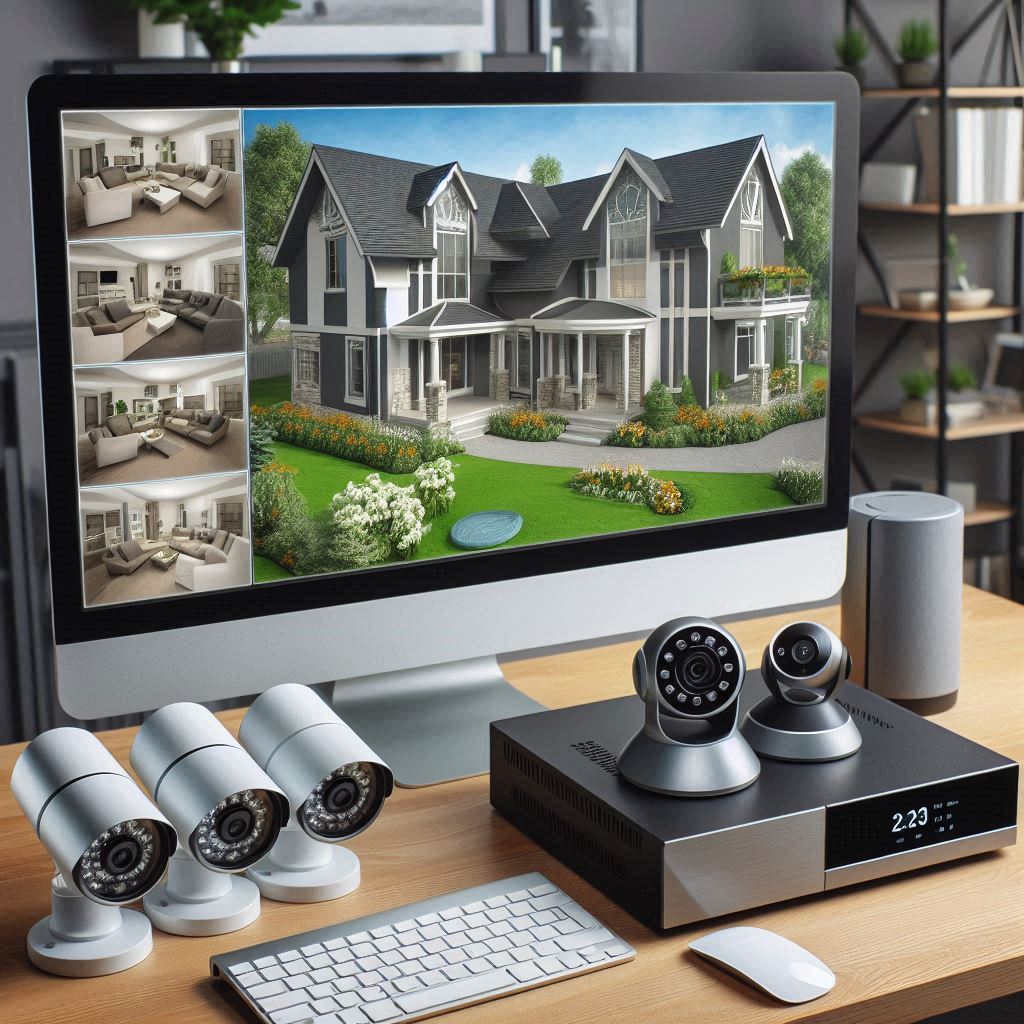
Embarking on a DIY smart home security project can seem daunting, especially when navigating the myriad of technologies available. Among these, Network Video Recorders (NVRs) stand out for their ability to integrate seamlessly into a smart home setup, offering robust security solutions tailored to the modern homeowner. This section delves into the unique aspects of NVR integration within a DIY smart home environment, providing insights into why NVRs are a cornerstone of effective home security systems.
Understanding NVRs in Smart Home Security
At the heart of smart home security lies the concept of integrating various components—cameras, sensors, alarms—to create a cohesive system that enhances safety and convenience. Among these components, NVRs play a pivotal role. An NVR is essentially a digital device that records and manages video streams from IP cameras. Unlike traditional CCTV systems, NVRs offer several advantages that make them ideal for smart homes:
[the_ad id=”1921″]
- High Definition: NVRs support high-definition video, providing clear and detailed footage that can significantly aid in identifying intruders or monitoring activities around your property.
- Ease of Installation: Modern NVR systems are designed with ease of use in mind. They often come with intuitive software that simplifies the setup process, allowing even those with minimal technical expertise to configure their security system effectively.
- Scalability: As your smart home grows, so too can your security needs. NVRs are scalable, meaning you can easily add more cameras to your system as required, expanding coverage without needing to replace the entire setup.
Choosing the Right NVR for Your Smart Home
Selecting the right NVR involves considering factors such as the number of cameras you plan to use, the desired resolution, and whether you prefer wired or wireless connections. Additionally, compatibility with other smart home devices and platforms is crucial, ensuring seamless integration with your existing ecosystem.
Practical Steps to Integrate NVR into Your Smart Home
Integrating an NVR into your smart home involves several steps, from selecting the right hardware to configuring the system for optimal performance. Here’s a simplified guide to get you started:
- Assess Your Needs: Determine the number of cameras you need, their placement, and the areas you wish to monitor closely.
- Choose the Right NVR: Select an NVR that meets your requirements in terms of camera support, resolution, and connectivity options.
- Installation: Whether opting for wired or wireless cameras, follow the manufacturer’s instructions for installation. Ensure all cameras are securely mounted and connected to power sources.
- Configuration: Utilize the NVR’s software to connect and configure your cameras. Adjust settings such as motion detection sensitivity and recording schedules according to your preferences.
- Integration: Connect your NVR to your smart home network and explore compatibility with other smart devices. Many NVR systems offer integrations with popular smart home platforms, enhancing functionality and control.
Conclusion
Incorporating an NVR into your DIY smart home security setup offers a comprehensive and flexible solution to safeguarding your property. By understanding the benefits of NVR technology and following a structured approach to integration, homeowners can enhance their security posture while enjoying the convenience and scalability that smart home technology provides.
Understanding Network Video Recorders (NVRs) for Smart Home DIY
In the dynamic world of smart home technology, finding the right tools to enhance security and integrate seamlessly into your living space is paramount. One such tool that stands out for its reliability and versatility is the Network Video Recorder (NVR). An NVR is essentially a dedicated device that records video streams from various surveillance cameras connected within your network. It acts as the brain of your home security system, centralizing all camera feeds and providing a comprehensive view of your property.
Why Choose NVR for Your Smart Home?
Enhanced Security: At its core, an NVR system offers a significant boost to your home’s security. By consolidating footage from multiple cameras, it creates a detailed picture of what’s happening around your property. Whether you’re monitoring entrances, checking on pets, or keeping an eye on deliveries, an NVR ensures you have eyes on everything without lifting a finger.
Customization and Flexibility: Unlike traditional CCTV systems, NVRs offer unparalleled customization options. With the ability to connect various types of IP cameras, you can tailor your surveillance setup to fit your specific needs. Whether you need high-definition recording for outdoor areas or low-light cameras for indoor spaces, an NVR allows for flexible expansion and adaptation.
Seamless Integration: In the realm of smart homes, compatibility is key. NVRs are designed to work seamlessly with other smart devices and systems, making them an ideal choice for DIY enthusiasts looking to create a cohesive and efficient home automation setup. From integrating with smart lighting systems to automated door locks, an NVR can be part of a broader ecosystem that enhances both security and convenience.
Practical Applications: Setting Up Your NVR System
Setting up an NVR system involves several steps, starting with selecting the right cameras and deciding on the best locations for installation. Here’s a simplified guide to get you started:
- Choose Your Cameras: Start by identifying the areas you want to monitor. For each area, select a camera type that suits the conditions—such as weather resistance for outdoor use or night vision capabilities for darker environments.
- Install Cameras: Once you’ve chosen your cameras, install them strategically around your property. Ensure they have a clear line of sight to the areas you wish to monitor.
- Connect Cameras to Your NVR: Use Ethernet cables to connect each camera directly to your NVR. This step ensures stable and reliable video transmission.
- Configure Your NVR: Access your NVR’s interface through a web browser. Here, you’ll set up storage options, configure motion detection settings, and adjust other preferences to customize your surveillance experience.
- Monitor and Manage: With everything set up, you can now access your NVR system remotely via smartphone apps or computers. This feature allows you to check on your home’s security status anytime, anywhere.
By following these steps, you can effectively leverage the power of NVR technology to bolster your home’s security while enjoying the flexibility and convenience of a smart home setup. Remember, the key to a successful DIY smart home project lies in careful planning and thoughtful integration of components like NVRs.
Why Choose an NVR for Your Smart Home Security?
Network Video Recorders (NVRs) are the backbone of modern home security systems, blending convenience with cutting-edge technology. They serve as the control center for your surveillance cameras, allowing you to manage and view footage from anywhere in the world. Here’s why incorporating an NVR into your DIY smart home setup is a game-changer.
Centralized Surveillance Management
Imagine having a single dashboard that gives you instant access to all your home’s surveillance feeds. That’s exactly what an NVR offers. It consolidates video streams from various cameras into one interface, making it easier to monitor your property and respond to potential threats swiftly.
Remote Access and Monitoring
With an NVR, you’re not limited to watching your home’s security footage only when you’re physically present. The system allows you to log in from anywhere via your smartphone, tablet, or computer, giving you peace of mind knowing your home is being monitored even when you’re away.
Scalability and Flexibility
One of the standout features of NVRs is their ability to scale. Whether you start small with a few cameras around your front door and gradually expand to cover every corner of your property, an NVR can adapt. Simply add more cameras to the system without worrying about compatibility issues or complicated setups.
High-Quality Recording
NVRs support high-definition recording, ensuring that every detail captured by your cameras is crystal clear. This level of clarity is crucial for identifying faces, license plates, or other critical details in case of a security incident.
Easy Installation and Maintenance
For DIY enthusiasts, setting up an NVR is a breeze. Most models come with user-friendly interfaces and comprehensive guides, making the installation process straightforward. Plus, regular maintenance is minimal, saving you time and effort.
Cost-Effective Solution
Compared to traditional analog systems, NVRs offer a more cost-effective solution. They eliminate the need for separate DVRs and cables, reducing both initial investment and long-term maintenance costs.
Conclusion: Enhancing Your Smart Home Security
Incorporating an NVR into your smart home DIY project isn’t just about adding a layer of security; it’s about gaining peace of mind. With its centralized management, remote accessibility, and scalability, an NVR transforms your home security system into a robust, flexible network that adapts to your needs. Whether you’re a beginner or an experienced DIYer, investing in an NVR is a step towards creating a safer, smarter home environment.
The Power of Voice Control: Integrating NVRs with Smart Assistants
Enhancing Convenience with Smart Assistant Integration
In the realm of smart home technology, one feature stands out for its ability to bridge the gap between everyday convenience and advanced surveillance systems: the integration of Network Video Recorders (NVRs) with smart assistants such as Amazon Alexa and Google Assistant. This seamless connection transforms how we interact with our security cameras, offering a level of ease and efficiency that was previously unimaginable.
Practical Examples of Voice-Controlled Surveillance
Imagine you’ve just received a notification on your phone about motion detected near your garage. Instead of navigating through menus on your smartphone app, you simply say, “Alexa, show me the live feed from the garage camera.” Instantly, your request is fulfilled, and you’re able to see exactly what’s happening outside your home. This scenario illustrates the practicality and convenience of integrating NVRs with smart assistants.
Another example involves security. If you notice something amiss while watching a recorded video, you might want to capture a clip of the incident. With Google Assistant, you could easily say, “Ok Google, record the last 5 minutes of footage from the backyard camera,” and have the action completed without lifting a finger. These examples highlight how NVR-smart assistant integration can significantly enhance the usability and effectiveness of your home security system.
Technical Perspective: How It Works
Under the hood, the integration between NVRs and smart assistants relies on APIs (Application Programming Interfaces) and cloud services. When you issue a voice command, your smart assistant communicates with the NVR system via these interfaces, sending instructions to perform actions such as displaying live feeds or recording specific segments of video. This process requires no additional hardware beyond what’s already part of your smart home setup, making it both cost-effective and easy to implement.
Conclusion: A Smarter, More Secure Home
By incorporating NVRs with smart assistants, homeowners gain a sophisticated, yet user-friendly way to monitor and secure their properties. This integration not only adds a layer of convenience but also enhances the overall functionality of a smart home ecosystem. Whether it’s checking on deliveries, keeping an eye on pets, or ensuring the safety of your family, the combination of NVRs and smart assistants offers peace of mind in a world increasingly focused on smart technology.
Understanding NVRs: The Backbone of Your Smart Home Security
NVRs, or Network Video Recorders, are the unsung heroes of smart home security systems. They don’t get the spotlight like cameras do, but without them, your footage would be just static images. Think of an NVR as the brain behind the eyes of your surveillance system. It’s what turns raw video feeds into usable, searchable data.
Key Features of NVRs
Multiple Camera Support
One of the standout features of NVRs is their ability to support multiple cameras. Whether you’re looking to monitor every corner of your home or just keep an eye on the front door, an NVR can handle it. Imagine having a network of spies (cameras) all sending back intelligence (video). An NVR collects this intel, organizing it so you can easily review events or check on your home anytime.
Extensive Local Storage
Another crucial aspect is local storage. With NVRs, you’re not relying on the cloud alone; you have a buffer right there in your own home. This means your footage is safe even if your internet connection goes down. Picture this: a secure vault within your walls, ready to store evidence (or memories) of everything happening around your property.
Adapting to Your Space
Small Spaces to Large Estates
NVRs aren’t one-size-fits-all. They’re incredibly versatile, adapting to fit the unique needs of any space. Whether you’re protecting a cozy apartment or securing a sprawling estate, an NVR can tailor its setup to meet your needs.
For smaller spaces, an NVR might connect with just a few cameras, focusing on key areas like entrances and windows. In contrast, larger properties might require a more extensive network of cameras, covering every angle to ensure nothing slips past unnoticed.
Practical Applications
Imagine coming home late at night and seeing a strange car parked outside. With an NVR, you could pull up the live feed or review recorded footage to see exactly what happened. Or perhaps you want to keep an eye on your kids playing in the backyard. An NVR makes it easy to monitor activities safely from inside your home.
Conclusion
In essence, NVRs are the heart of a smart home security system, providing the infrastructure to turn your surveillance goals into reality. By supporting multiple cameras and offering extensive local storage, NVRs offer flexibility and reliability, making them an essential component for anyone looking to enhance their home’s security.
The Power of Remote Access: Why It Matters in Your Smart Home Security
Understanding NVR Systems
At the heart of modern smart home security lies the Network Video Recorder (NVR). An NVR is a dedicated device that records video streams from IP cameras, providing a centralized platform to view and manage all your surveillance feeds. Unlike traditional CCTV systems, NVRs operate over a network, allowing for greater flexibility and accessibility.
The Convenience of Anywhere Access
One of the standout features of NVR systems is the ability to remotely access your surveillance feeds from virtually anywhere in the world. This capability transforms how we interact with our homes’ security, offering a level of convenience previously unimaginable. Imagine being able to check on your children arriving home from school or review security footage of an unexpected visitor, all from the comfort of your office or while traveling abroad. This real-time connectivity ensures that you’re never out of touch with what’s happening at home.
Practical Applications and Significance
The significance of remote access goes beyond mere convenience; it’s a critical component of effective home security. In the event of an emergency, such as a break-in or suspicious activity, having immediate access to live feeds can significantly enhance response times. For instance, if an alarm is triggered, you can quickly verify the situation through your NVR system, potentially deterring intruders or facilitating a faster police response.
Moreover, the peace of mind that comes with knowing your home is under constant surveillance cannot be overstated. It allows homeowners to enjoy their time away without worry, secure in the knowledge that their property is being monitored.
Choosing the Right NVR for Your Smart Home
Selecting the right NVR for your smart home involves considering several factors, including the number of cameras you plan to integrate, the storage capacity required, and the need for advanced features like facial recognition or motion detection. It’s essential to choose an NVR that not only meets your current needs but is also scalable enough to accommodate future expansions.
Conclusion
In summary, the ability to remotely access your NVR system is a game-changer for smart home security. It offers unparalleled convenience, enhances security response capabilities, and provides invaluable peace of mind. As technology continues to evolve, the role of NVRs in our homes will become even more integral, ensuring that our properties remain safe and secure, no matter where we are.
Crafting Your DIY Smart Home Security System
Embarking on a DIY smart home security project is both rewarding and empowering. It allows you to tailor your surveillance system precisely to your needs, ensuring a setup that’s both efficient and cost-effective. This guide will walk you through the essential steps of building your own smart home security system, focusing on the selection and configuration of Network Video Recorders (NVRs).
Understanding NVRs: The Heart of Your Surveillance System
At the core of every smart home security system lies the NVR. Think of it as the brain that processes video feeds from various cameras around your home. When choosing an NVR, consider its compatibility with your existing or planned cameras, its storage capacity, and how well it integrates with other smart devices in your home.
Key Features to Look For
- Camera Compatibility: Ensure the NVR supports the type of cameras you plan to use. Some NVRs are designed to work exclusively with certain brands or models.
- Storage Capacity: The amount of storage you need depends on the resolution of your cameras and how long you wish to keep recordings. Higher resolutions require more storage space.
- Integration Capabilities: A good NVR should seamlessly integrate with other smart home systems, allowing for automation and control through a single interface.
Setting Up Your NVR: Step-by-Step Guide
Once you’ve selected your NVR, the next step is to set it up. Here’s a simplified guide to get you started:
- Unbox Your NVR: Carefully remove all packaging materials and locate the NVR unit along with any included accessories.
- Connect Your Cameras: Follow the manufacturer’s instructions to connect each camera to the NVR. This typically involves plugging the camera into a power source and connecting it to the NVR via Ethernet cable.
- Configure Storage Settings: Access the NVR’s settings menu to configure recording schedules, storage allocation, and other preferences.
- Set Up Integration (Optional): If you want to integrate your NVR with other smart home devices, consult the manufacturer’s guide for compatible apps or services.
- Test Your System: Finally, test your entire surveillance system to ensure everything is working correctly. Check the live feed from each camera and verify that recordings are being saved as expected.
Tips for a Smooth Setup
- Plan Ahead: Before purchasing any equipment, map out your surveillance coverage area and decide on the number and types of cameras you’ll need.
- Read the Manual: Each device comes with its own set of instructions. Take the time to read through them thoroughly before starting the setup process.
- Seek Support: If you encounter issues during setup, don’t hesitate to reach out to the manufacturer’s customer support team for assistance.
By following these guidelines, you’ll be well on your way to creating a robust and personalized smart home security system tailored to your specific needs. Remember, the key to a successful DIY project lies in careful planning and execution.
Understanding NVR Systems for Smart Home Security
In today’s digital world, ensuring the safety of our homes is paramount. One of the key technologies that enable us to achieve this is the Network Video Recorder (NVR). An NVR acts as the brain of your surveillance system, managing and recording video feeds from various cameras around your property. This technology is crucial for creating a comprehensive and efficient security setup tailored to your smart home ecosystem.
Why Choose NVR for Your Smart Home?
Efficiency and Flexibility: NVR systems offer unparalleled efficiency in managing video streams from multiple sources simultaneously. Whether you have IP cameras installed indoors or outdoors, an NVR can integrate them seamlessly, providing a unified view of your property’s security.
Customization: The beauty of integrating NVR with your smart home lies in its customization potential. You can design a security layout that fits your unique needs, whether it’s monitoring the front door, keeping an eye on the backyard, or even setting up motion detectors for added vigilance.
Future-Proofing Your Home: As technology advances, NVR systems are designed to evolve with it. Upgrading your system becomes simpler and more cost-effective, ensuring your home remains protected against emerging threats.
Practical Implementation: Setting Up Your NVR System
- Identify Your Needs: Start by assessing what areas of your home you wish to monitor. This could range from the main entrance to the garage or even the garden.
- Choose the Right Cameras: Select cameras that best fit your identified needs. Consider factors such as weather resistance, night vision capabilities, and field of view.
- Select an NVR: Look for an NVR that supports the number of cameras you plan to use and offers features like high-resolution recording, easy integration with other smart home devices, and cloud storage options for remote access.
- Installation: Follow the manufacturer’s instructions for installing both the cameras and the NVR. This typically involves connecting the cameras to your network and configuring the NVR settings through its interface.
- Testing and Adjustment: After installation, test your system thoroughly. Adjust camera angles, sensitivity levels, and recording schedules as needed to ensure optimal performance.
Conclusion
By embracing NVR technology within your smart home setup, you’re taking a significant step towards enhancing your property’s security. It’s not just about having a system in place; it’s about having a system that works intelligently and efficiently for you. With the right approach, you can transform your home into a secure haven, leveraging the latest in surveillance technology to protect what matters most.