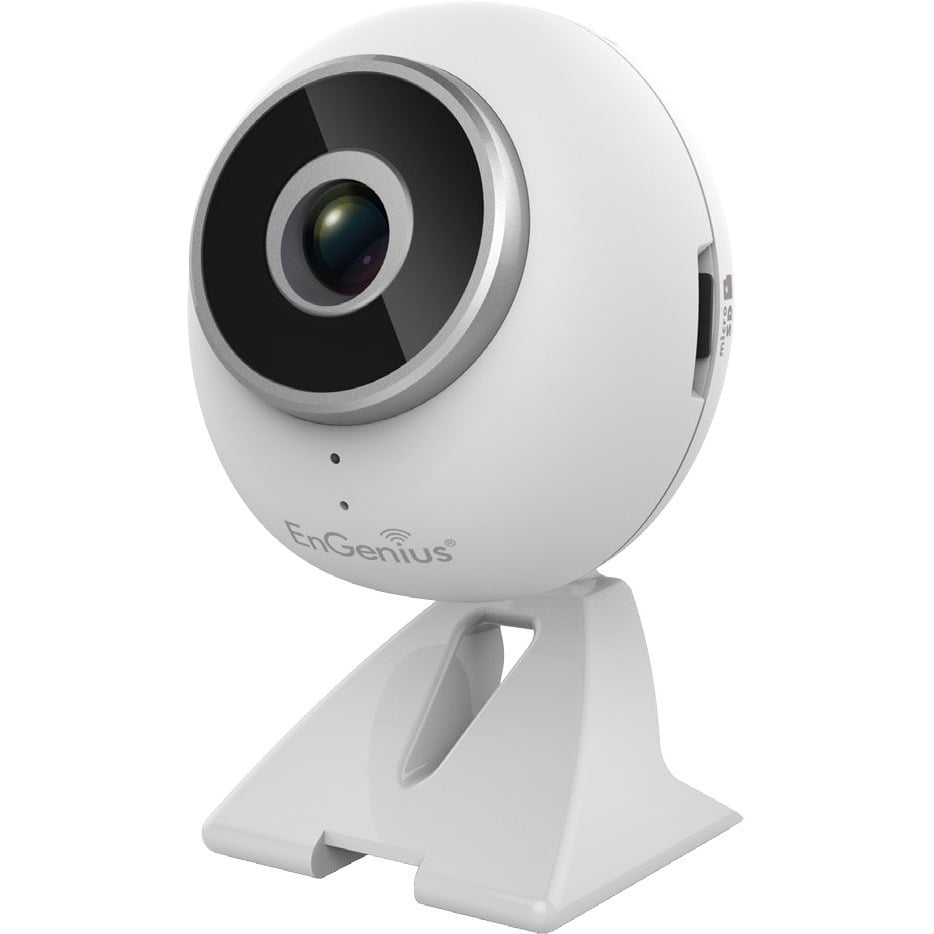
Understanding Smart Home Cameras
Smart home cameras are at the forefront of the Internet of Things (IoT) revolution, offering homeowners unprecedented control and security. These devices range from basic surveillance systems to advanced solutions capable of facial recognition and object detection. Developers interested in this field can leverage various technologies to create innovative solutions tailored to specific needs.
Key Components of Smart Home Cameras
- Hardware: The physical components include the camera itself, sensors, microphones, speakers, and connectivity modules (Wi-Fi, Bluetooth).
- Software: Firmware controls the device’s operation, including video processing, analytics, and communication protocols.
- Cloud Services: Offloading heavy computations to cloud servers enables real-time analysis and remote access features.
Developing Smart Home Cameras
Choosing the Right Hardware
Selecting the right hardware is crucial for developing a smart home camera. Consider factors such as resolution, field of view, night vision capabilities, and power consumption. Integrating IoT platforms like AWS IoT Core or Google Cloud IoT Core simplifies device management and data processing.
Software Development
Developers must tackle challenges such as optimizing video streaming for low bandwidth conditions and implementing secure communication protocols. Utilizing machine learning algorithms for intelligent features requires a solid understanding of computer vision techniques.
Cloud Integration
Integrating cloud services allows for scalable storage, real-time analytics, and seamless integration with other smart home devices. Leveraging cloud functions for processing video streams can significantly reduce the load on the device, improving performance and battery life.
Practical Example: Implementing Facial Recognition
import cv2
from keras.models import load_model

# Load pre-trained model for facial recognition
model = load_model('facial_recognition_model.h5')

def detect_faces(frame):
    # Preprocess frame
    face_cascade = cv2.CascadeClassifier(cv2.data.haarcascades + 'haarcascade_frontalface_default.xml')
    gray = cv2.cvtColor(frame, cv2.COLOR_BGR2GRAY)
    faces = face_cascade.detectMultiScale(gray, scaleFactor=1.1, minNeighbors=5, minSize=(30, 30))

    for (x, y, w, h) in faces:
        # Extract face ROI
        face = gray[y:y+h, x:x+w]
        # Predict class probabilities for face
        probas = model.predict(face.reshape(1, face.shape[], face.shape[1], 1))
        # Get predicted class label
        label = np.argmax(probas)

        # Draw rectangle around the faces
        cv2.rectangle(frame, (x, y), (x+w, y+h), (255, , ), 2)
        # Display label on the output
        font = cv2.FONT_HERSHEY_DUPLEX
        cv2.putText(frame, f'Face {label}', (x+6, y-6), font, 1., (255, 255, 255), 1)

    return frame
This Python snippet demonstrates how to integrate facial recognition into a smart home camera application. It uses OpenCV for image processing and a pre-trained Keras model for detecting and identifying faces within the video stream.
Conclusion
Developing smart home camera solutions requires a blend of hardware expertise, software development skills, and a deep understanding of cloud computing. By focusing on these areas, developers can create innovative products that enhance home security and convenience.
The Evolution of Home Security: A Dive into Smart Home Cameras
Privacy and Customization in Smart Home Cameras
In the digital era, the landscape of home security has transformed significantly from the days of mechanical locks and loud alarms. At the forefront of this evolution stand smart home cameras, which are not just security devices but integral parts of a connected home environment. These cameras are designed with privacy and customization in mind, allowing homeowners to monitor their properties while ensuring their data remains secure.
Ensuring Privacy in Smart Home Surveillance
One of the primary concerns when integrating smart home cameras into our living spaces is privacy. Manufacturers understand this concern and have implemented robust encryption standards and strict data policies to protect users’ privacy. For instance, many smart cameras offer end-to-end encryption, meaning only the device owner can decrypt the video feed, keeping it inaccessible to third parties.
Tailoring Your Surveillance Experience
Customization is another hallmark of smart home cameras. Users can adjust settings such as motion sensitivity, recording quality, and even the camera’s field of view to suit their needs. Some models also allow for the creation of “zones” where activity is monitored, reducing unnecessary alerts from areas of low interest. This level of control ensures that homeowners receive relevant notifications without being overwhelmed by trivial events.
Seamless Integration with the Smart Home Ecosystem
Smart home cameras are designed to work harmoniously within the broader smart home ecosystem, enhancing convenience and efficiency. They can be controlled via voice commands through assistants like Amazon Alexa or Google Assistant, integrated with smart lighting systems to deter intruders, and even synced with smart door locks to provide comprehensive security coverage.
Practical Example: Automating Your Home’s Defense
Imagine arriving home late at night after a long trip. As you approach your front door, your smart camera detects movement and sends an alert to your phone. Simultaneously, your smart lights turn on, illuminating the area around your home, and your smart lock unlocks, welcoming you inside. This seamless interaction between devices not only enhances security but also offers a glimpse into the future of home automation.
Crafting Detection Zones for Enhanced Surveillance
Another innovative feature of smart home cameras is the ability to define custom detection zones. This functionality allows homeowners to focus on specific areas of interest, such as entrances, windows, or garages, while ignoring less critical regions. By tailoring the surveillance experience, users can minimize false alarms and maximize the effectiveness of their security system.
Implementing Detection Zones: A Step-by-Step Guide
Setting up detection zones in your smart home camera is straightforward. Most devices offer this feature directly in their mobile app interface. Here’s a simplified guide:
- Access the App: Open the app associated with your smart camera.
- Navigate to Settings: Look for the option related to detection zones or motion sensing.
- Define Your Zones: Select the areas you wish to monitor closely. Some apps may allow you to draw freehand shapes or choose predefined options.
- Adjust Sensitivity: Fine-tune the motion sensitivity for each zone to avoid unnecessary alerts.
By understanding and utilizing these features, homeowners can leverage smart home cameras to create a personalized security solution that blends seamlessly into their daily lives.
Through advancements in technology and a keen focus on user privacy and customization, smart home cameras represent a significant leap forward in home security. As the smart home ecosystem continues to evolve, expect these devices to become even more integrated and intelligent, providing homeowners with peace of mind and unparalleled control over their homes.
It seems there was no text provided for revision. Could you please share the specific section of the article about Smart Home Cameras that you’d like me to improve?
Enhancing Privacy in Smart Surveillance Cameras
In today’s digital age, where privacy concerns are paramount, smart home cameras have evolved to offer advanced features that strike a balance between security and user privacy. Here’s how they do it:
Recording Schedules: Tailored Surveillance
Imagine having a camera that only records when you’re away or during specific events, like a delivery arriving. This isn’t just convenient; it’s a smart way to minimize unnecessary recording. By allowing users to set custom recording schedules, smart cameras reduce data collection and storage, saving space and ensuring that only relevant footage is kept.
Activity Zones: Focused Monitoring
Picture this: your front door is the only area you care about monitoring. With activity zones, you can tell your camera exactly where to watch. It ignores everything else, focusing only on the predefined areas. This feature not only enhances security but also minimizes the chance of capturing unwanted moments, safeguarding your privacy.
Obscuration Capabilities: Blurring Boundaries
Ever worry about accidentally filming someone in your private space? Smart cameras now offer obscuration capabilities, allowing you to blur out certain parts of the video feed. This means you can protect the identities of people in your home without compromising the overall quality of your surveillance footage.
By integrating these features, smart home cameras are redefining what it means to keep an eye on your property while respecting personal boundaries. They’re proof that technology can serve both our needs and our values, making our homes safer and more private.
Customizable Alerts: Enhancing Your Smart Home Experience
Understanding Customizable Alerts
In the realm of smart home technology, one of the standout features of smart cameras is their ability to offer highly customizable alert systems. This feature allows homeowners to fine-tune how and when they receive notifications from their cameras, ensuring that each alert is relevant and timely.
How It Works
Imagine you have a smart camera monitoring your front porch. With customizable alerts, you can set the system to notify you only under certain conditions. For instance, you might want to be alerted anytime there’s motion detected between 8 PM and 6 AM, but ignore movements during daylight hours unless they meet specific criteria, such as someone approaching your door. This level of control helps prevent alert fatigue, keeping you informed without overwhelming you with non-essential information.
Practical Examples
Let’s delve into a practical example to illustrate how this works. Suppose you’re away on vacation and have set up your smart camera to monitor your home. You could configure the camera to send you an alert if it detects any movement after 10 PM, ensuring you’re notified of any potential security issues without receiving unnecessary alerts throughout the day.
The Significance of Customizable Alerts
The ability to customize alert settings is crucial for several reasons:
- Relevance: By tailoring alert conditions, you ensure that every notification you receive is pertinent, reducing the likelihood of overlooking important events.
- Efficiency: Customizable alerts help manage the flow of information, preventing the inbox overload that can occur with too many irrelevant notifications.
- Security: In a security context, timely and relevant alerts can significantly enhance the safety of your home, allowing you to respond quickly to potential threats.
Conclusion
Customizable alerts represent a significant advancement in smart home camera technology, offering users unparalleled control over their notification preferences. By understanding and utilizing this feature, homeowners can enjoy a more secure and efficient smart home experience, tailored precisely to their needs and lifestyle.
It seems there was no text provided for revision. Could you please share the specific section of the article about Smart Home Cameras that you’d like me to improve?
The Power of Integration: Smart Home Cameras in Action
Smart home cameras shine brightest when they’re part of a comprehensive smart home setup. This integration allows all your devices—lights, locks, alarms—to communicate and coordinate, forming a multi-layered security system.
Compatibility Across Platforms
For smart cameras to truly excel, they need to play nicely with the rest of your smart home gadgets. That means being compatible with popular platforms like Amazon Alexa, Google Assistant, and Apple HomeKit. This compatibility ensures you can control everything from your lights to your locks with just your voice or a tap on your phone, streamlining your daily routine and enhancing convenience.
Wireless Communication: Keeping Things Connected
The backbone of a smart home ecosystem is its wireless connectivity. Smart cameras rely on Wi-Fi, Zigbee, or Z-Wave to stay connected and responsive. These protocols enable seamless data transfer, ensuring your camera feeds are smooth and reliable, even when streaming high-definition video. Whether it’s a quick check-in while away from home or monitoring activity in real-time, the right wireless protocol ensures you get the performance you need without missing a beat.
By focusing on these key areas—platform compatibility and wireless communication—smart home cameras become more than just surveillance tools; they become integral parts of a secure, efficient, and user-friendly smart home environment.
The Power of Integration: Smart Home Cameras in Action
Enhancing Security with Smart Cameras
Smart home cameras have evolved beyond mere surveillance devices. They now serve as the cornerstone of a comprehensive security system, capable of detecting movements, identifying faces, and even distinguishing between familiar and unfamiliar individuals. Imagine walking into your home after a long day only to find the lights automatically turning on and the blinds adjusting to let in natural light, all thanks to a smart camera detecting your approach. This seamless integration not only enhances your security but also offers a level of convenience that traditional systems cannot match.
Practical Applications: Real-Life Examples
To understand the full potential of smart home cameras, consider a real-life example. Suppose you own a small business with limited staff during off-hours. Installing smart cameras around the premises can monitor for unauthorized entry attempts. If movement is detected, the system can send alerts to your phone, trigger exterior lights to turn on, and even lock down certain areas remotely. This level of automation ensures that your property remains secure, even when unattended.
Technical Aspects: How It Works
Under the hood, smart cameras use a combination of sensors and artificial intelligence (AI) algorithms to process video feeds in real-time. These technologies enable the camera to distinguish between relevant events (like a person entering the frame) from background noise (such as leaves rustling outside). For instance, AI can be trained to recognize the pattern of footsteps leading to the front door being opened, indicating a break-in, and then activate the appropriate response mechanisms.
Conclusion: The Future of Smart Home Security
As technology continues to advance, we can expect smart home cameras to become even more integrated with our daily lives. From adjusting room temperatures based on occupancy to automatically starting a recording upon detecting unusual sounds, the possibilities are vast. The key to unlocking these benefits lies in choosing smart cameras that offer flexibility, reliability, and ease of integration with other smart home devices. By doing so, you’re not just enhancing your home’s security; you’re creating a smart ecosystem that adapts to your needs, making life safer and more comfortable.
It seems there was no text provided for revision. Could you please share the specific section of the article about Smart Home Cameras that you’d like me to improve?
Understanding Activity Zones in Smart Home Cameras
Smart home cameras have revolutionized the way we monitor our spaces, offering features that enhance security and convenience. One standout feature is the creation of Activity Zones, which allow users to focus surveillance efforts on specific areas within the camera’s field of view. This capability is particularly useful for highlighting key points of interest, such as entrances, windows, or valuables, ensuring they are under constant observation.
Defining Virtual Perimeters
At the heart of Activity Zones is the concept of defining virtual perimeters. Users interact with the camera’s interface through intuitive controls, drawing digital boundaries around the areas they wish to monitor closely. These boundaries act as virtual perimeters, instructing the camera to pay special attention to movements or activities occurring within them. For instance, if you’re concerned about security near your front door, you can define a zone encompassing that area, prompting the camera to alert you whenever there’s activity within its bounds.
Efficient Resource Allocation
By focusing surveillance efforts on predefined zones, smart home cameras significantly enhance efficiency. They reduce the number of unnecessary alerts by prioritizing notifications from zones deemed important by the user. This targeted approach not only minimizes distractions but also optimizes storage space, as recordings from less critical areas are either reduced or omitted. Imagine setting up your camera to monitor high-traffic zones during business hours while lowering sensitivity or pausing recording in less frequented areas overnight. This strategic use of resources makes managing your smart home security system more manageable and cost-effective.
In summary, the creation of Activity Zones in smart home cameras represents a significant advancement in home security technology. It empowers users to tailor their surveillance setup to their unique needs, enhancing both the effectiveness and efficiency of their monitoring efforts. Whether you’re looking to keep an eye on your children playing in the backyard or want to ensure the safety of your valuables, Activity Zones offer a flexible and intelligent solution to meet your surveillance goals.
Enhancing Home Security with Activity Zones
Activity Zones in smart home cameras offer a sophisticated way to monitor specific areas of your home. Imagine setting up a camera to watch over your front porch, garage, or even the backyard. Now, imagine being notified only when there’s movement in these designated spots. That’s exactly what Activity Zones do—they let your smart camera know which areas deserve extra attention.
How Activity Zones Work
To understand how Activity Zones work, consider them as custom boundaries within your camera’s field of view. When motion is detected within one of these zones, the camera sends an alert to your smartphone or tablet. This feature is particularly useful for focusing on high-traffic or sensitive areas without receiving constant notifications from every part of the monitored space.
Integrating with Home Automation Systems
One of the standout features of Activity Zones is their ability to integrate with broader home automation systems. This means that besides sending you an alert, the system can also trigger other actions based on the activity detected. For instance, if motion is detected in the front yard, the integrated system could automatically turn on outdoor lights or activate a security alarm. This seamless integration enhances your home’s security by ensuring that any suspicious activity is met with immediate, visible responses.
Practical Example: Setting Up Activity Zones
Let’s say you’ve just installed a smart home camera and want to set up Activity Zones. Here’s a simple step-by-step guide:
- Access Your Camera’s App: Open the app associated with your smart home camera on your device.
- Navigate to Settings: Look for the settings menu within the app, often found under a gear icon.
- Find Activity Zones: Within the settings, locate the option for configuring Activity Zones. The exact wording may vary depending on the brand and model of your camera.
- Select Areas to Monitor: Use the app’s interface to draw or select the areas of your home you wish to monitor closely. These could be entry points, windows, or any area where you’d like extra vigilance.
- Save and Test: After setting up your zones, save the changes and test the system by moving around within these areas to ensure alerts are triggered as expected.
By following these steps, you can customize your smart home camera to focus on the most critical areas of your property, enhancing both convenience and security.
Conclusion
Activity Zones represent a powerful tool in the arsenal of smart home technology, offering a tailored approach to monitoring and securing your home. By integrating with home automation systems, they provide an added layer of protection, making your home safer and more secure against potential threats.
The Evolution of Smart Home Cameras
Smart home cameras have revolutionized the way we think about home security, blending cutting-edge technology with everyday convenience. At the heart of this transformation lies a commitment to enhancing user privacy, ensuring seamless integration within the smart home environment, and delivering customized detection features. This section delves into the critical factors driving the evolution of smart home cameras, highlighting how developers are poised to shape the future of home security through innovative solutions.
Prioritizing User Privacy
User privacy remains a paramount concern in the era of smart home devices. Developers must navigate a delicate balance between providing valuable security features and safeguarding personal data. Implementing advanced encryption methods, such as end-to-end encryption, ensures that video feeds remain secure from unauthorized access. Additionally, regular software updates help protect against emerging threats, demonstrating a proactive approach to privacy.
Example: End-to-End Encryption
Consider a scenario where a smart camera uses end-to-end encryption. This means that the video feed is encrypted on the device itself before being sent to the cloud, and only the user possesses the decryption key. Even if the data were intercepted during transmission, it would be unreadable without the correct key, significantly enhancing privacy.
Seamless Integration with Smart Home Ecosystems
The success of smart home cameras hinges on their ability to integrate smoothly with other smart devices. Through the use of standardized protocols like Wi-Fi and Bluetooth Low Energy (BLE), smart cameras can communicate effectively with lights, locks, and thermostats, creating a cohesive and intelligent home environment. This interoperability extends the functionality of each device, allowing users to automate tasks and enhance their living spaces.
Practical Application: Smart Home Automation
Imagine setting up a system where your smart camera detects movement and automatically triggers your smart lighting to turn on when motion is detected after dark. This integration not only improves security but also convenience, making the home safer and smarter.
Tailored Detection Capabilities
The advancement of artificial intelligence (AI) and machine learning (ML) technologies has enabled smart cameras to offer highly specialized detection features. From facial recognition to object identification, these capabilities allow cameras to distinguish between different types of activity, enabling users to receive alerts only for events that matter most.
Case Study: Facial Recognition for Family Safety
In a family setting, a smart camera equipped with facial recognition technology can differentiate between family members and guests. It can alert the primary caregiver when unfamiliar faces are detected, enhancing safety and peace of mind.
As the smart home market continues to expand, the importance of smart cameras in defining the future of home security cannot be overstated. By focusing on user privacy, ensuring seamless integration, and leveraging AI for personalized detection, developers are well-positioned to pioneer the next wave of secure, private, and efficient smart home solutions.