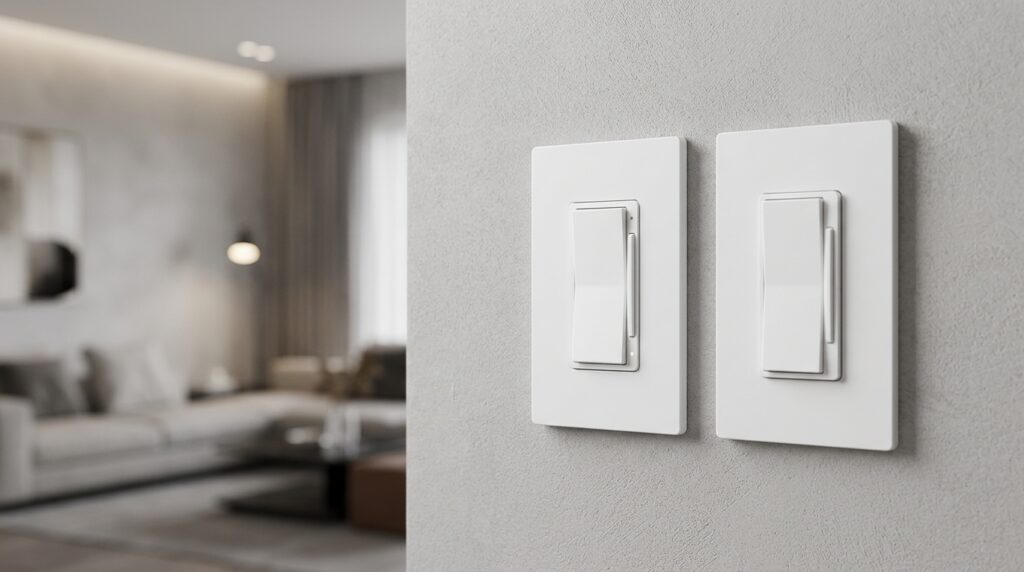
[myhomeio.com] Leviton DN6HD + DAWDC Wire-Free 3-Way — Bridge Pairing, Companion Battery, HomeKit Threads
Series: No-Neutral Smart Switches | Article 7/10 | Slug: leviton-dn6hd-dawdc-wirefree-3way-homekit | Focus: Bridge pairing, companion battery life, HomeKit threads, firmware updates
By Nora Thorne // IoT Architect & Smart Home Systems Specialist
Leviton DN6HD + DAWDC — The No-Neutral HomeKit Path
Leviton’s DN6HD Decora Smart No-Neutral Dimmer and its DAWDC Anywhere Dimmer Companion occupy a specific niche in the no-neutral ecosystem: HomeKit-native, Wi-Fi-bridged, zero-traveler 3-way without a single cloud account if you don’t want one. Where Shelly bets on MQTT, SONOFF on Zigbee, and Lutron on proprietary Clear Connect, Leviton delivers a no-neutral dimmer that speaks Matter over Thread (via the MLWSB Wi-Fi Bridge) and pairs with a battery-powered companion that needs no wiring at all.
The DN6HD is a 600 W no-neutral dimmer (LED/CFL/incandescent/MLV) that draws operating power through the load. The DAWDC is a wire-free companion — two CR2025 coin cells, ~5 year rated life, 50 ft RF range through the MLWSB bridge — that mounts anywhere: wall surface, existing box, no traveler wires required. Up to three companions per primary dimmer.
This article covers the bridge pairing sequence, companion battery reality, HomeKit/Thread commissioning, and firmware update paths — the four friction points that determine whether this combo lands in your wall or back in the box.
Key Specifications
| Attribute | DN6HD (Primary Dimmer) | DAWDC (Anywhere Companion) |
|---|---|---|
| Model | DN6HD / DN6HD-1BW | DAWDC / DAWDC-1BW |
| Neutral required? | No — powered from switched load | N/A (battery) |
| Load rating | 600 W LED/CFL/incandescent/MLV @ 120 V | — |
| Low-load floor | ~3 W LED (single bulb works) | — |
| Radio | 2.4 GHz Wi-Fi (via MLWSB bridge) | 2.4 GHz proprietary RF (via bridge) |
| Bridge required | MLWSB Wi-Fi Bridge (sold separately) | Pairs through primary’s bridge |
| Max companions | 3 per DN6HD (6 per MLWSB total) | — |
| Battery | — | 2× CR2025 (included), ~5 years |
| HomeKit/Thread | Matter over Thread via MLWSB | Not directly — controls via primary |
| Matter/Thread | Yes (Gen 2, firmware ≥ 2.0) | — |
| Price band | ~$45–55 (dimmer) + ~$30 (bridge) | ~$25–30 |
Critical constraint: The DN6HD cannot join HomeKit or Thread directly. It requires the MLWSB Wi-Fi Bridge (plug-in, 2,500 sq ft coverage, 50 ft device radius, 25 device limit). The bridge is the Thread border router; the DN6HD is a Thread end device behind it.
Wiring the DN6HD — No Neutral, No Problem (Mostly)
Line (Hot) ──────┬──── L (DN6HD)
                 │
Load ────────────┼──── L1 (DN6HD) ───► Light fixture
                 │
Ground ──────────┴──── GND (DN6HD)
Required: Line, Load, Ground. Not required: Neutral. If your box has neutrals, consider the D26HD (2nd Gen Wi-Fi) instead — it skips the bridge.
Derating: Two+ dimmers in one box → 500 W each (incandescent/MLV). LED/CFL no derating.
Minimum box depth: 2¾ in. Copper/copper-clad only.
Bridge Pairing — MLWSB + DN6HD + DAWDC (The Exact Sequence)
This is where most installs stall. Do it in this order, exactly:
1. Install & Power the MLWSB Bridge
- Plug into a central outlet (within 50 ft of all DN6HD units)
- LED solid green = connected to Wi-Fi
- Do not add to My Leviton app yet if you want HomeKit-only
2. Wire & Power the DN6HD
- Restore breaker → status LED blinks GREEN (Setup mode)
- If not blinking GREEN: hold top rocker 7 sec until AMBER, release → GREEN blink = Setup mode
3. Pair DN6HD to Bridge (My Leviton App)
My Leviton app → "+" → "Add Device" → "Decora Smart No-Neutral"
→ Select your MLWSB bridge → Follow prompts
- HomeKit-only path: At sign-up screen, tap “Use with HomeKit Only” — no cloud account created
- DN6HD LED: GREEN solid = paired to bridge
4. Pair DAWDC Companion to DN6HD
One companion at a time.
DAWDC into pairing mode:
- Single-press top rocker 5× rapidly → LED blinks GREEN
- (If it times out after 10 min: 5× press again)
DN6HD into companion-pairing mode:
- Press top rocker 5× rapidly → LED flashes GREEN/AMBER alternating
Pairing completes automatically (RF via bridge):
- DAWDC LED: solid GREEN 3 sec → off = success
- Test: press DAWDC top/bottom → DN6HD load toggles + dims
Repeat for 2nd/3rd companion (max 3 per DN6HD).
Companion Battery — CR2025 ×2, 5-Year Rated Life
| Spec | Detail |
|---|---|
| Cells | 2× CR2025 lithium coin (included) |
| Rated life | ~5 years (usage-dependent) |
| Replacement | Always replace as a pair — never mix old/new |
| Low-battery indicator | LED flashes RED on press |
| No rechargeables | Leviton explicitly warns against them |
| Access | Hinge-open frame — finger indent at base |
Real-world note: 5 years assumes ~10 presses/day. High-traffic hallways (30–50 presses/day) see 2–3 years. The DAWDC sleeps between presses — RF only wakes on button press. No periodic beaconing.
Mounting tip: Avoid metal boxes (kills RF range). Surface-mount on drywall/wood for best link margin.
HomeKit & Thread Commissioning — The Two Paths
Path A: HomeKit Only (No My Leviton Cloud Account)
1. DN6HD paired to MLWSB (Step 3 above, "Use with HomeKit Only")
- Apple Home app → "+" → "Add Accessory" → Scan MLWSB HomeKit code
(code on bridge pull-tab / box / app)
- Bridge joins HomeKit → DN6HD appears automatically as child
- DAWDC does NOT appear in HomeKit — it controls DN6HD locally
Result: Siri, Home app, automations work. No Leviton cloud. Firmware updates require My Leviton app (see below).
Path B: My Leviton + HomeKit (Dual Enrollment)
1. Create My Leviton account, add bridge + DN6HD normally
- My Leviton app → Bridge settings → "Add to HomeKit"
- Same HomeKit result, plus: remote access, scenes, schedules, Alexa/Google/IFTTT
Thread behavior: MLWSB is a Thread border router (Matter controller). DN6HD joins the Thread mesh as an end device. HomeKit sees the bridge + dimmer as Matter accessories. No separate Thread commissioning step — it’s automatic once bridge is on Wi-Fi and in HomeKit.
Matter firmware requirement: DN6HD firmware ≥ 2.0 (shipped mid-2024). Check in My Leviton app → Device Info → Firmware Version.
Firmware Updates — How They Actually Work
| Method | Requirements | Updates |
|---|---|---|
| My Leviton App (cloud) | My Leviton account, bridge online | DN6HD, MLWSB, DAWDC* |
| HomeKit Only (local) | Not supported for firmware | — |
| Manual/OTA via bridge | Bridge on Wi-Fi, device in range | Automatic when app checks |
*DAWDC firmware updates push through the bridge → DN6HD → RF to companion. Companion must be awake (press a button) to receive.
Critical gap: If you chose Path A (HomeKit-only), you cannot update firmware without creating a My Leviton account and re-enrolling the bridge. Leviton’s support article confirms: "Gen 1 HomeKit devices (DH*) can update firmware without My Leviton account" — but the DN6HD is a no-neutral Gen 1 device that requires the MLWSB bridge, and the bridge’s firmware does** require the app.
Workaround: Create a throwaway My Leviton account, enroll bridge → update → remove account. Bridge retains HomeKit pairing.
Update procedure (My Leviton):
App → Devices → Select DN6HD/MLWSB → Device Settings → Firmware Update
→ "Check for Updates" → Follow prompts (5–10 min, device unresponsive during)
Do not power-cycle during update. Bridge LED: rapid AMBER = updating.
Troubleshooting Matrix
| Symptom | LED Code | Fix |
|---|---|---|
| DN6HD not pairing to bridge | AMBER blink | Bridge out of range / unpowered. Move bridge ≤50 ft. |
| DAWDC won’t pair | GREEN blink ×10 min → off | 5× press DAWDC top → retry DN6HD 5× press |
| DAWDC works intermittently | RED flash on press | Low battery (replace pair) or metal box / >50 ft |
| HomeKit shows "No Response" | DN6HD GREEN solid | Bridge lost Wi-Fi / Thread mesh partition. Reboot bridge. |
| Firmware stuck "Checking" | Bridge AMBER rapid | Force-close app, reopen. Bridge reboot if persists. |
| DN6HD factory reset needed | — | Hold top rocker 14 sec (AMBER 7s → RED/AMBER flash → release) |
Bottom Line for Article 7/10
The Leviton DN6HD + DAWDC + MLWSB is the only no-neutral combo that delivers:
- True HomeKit/Thread/Matter (via bridge)
- Zero-traveler 3-way with battery companion (5 yr life, CR2025×2)
- No cloud account required (HomeKit-only path)
- Local control survives bridge/HA outage (DAWDC ↔ DN6HD RF is direct via bridge radio)
The trade-offs you accept:
- Bridge mandatory (~$30, outlet occupied)
- Firmware updates need temporary cloud account (HomeKit-only path)
- DAWDC invisible to HomeKit (controls primary only)
- Max 3 companions per dimmer, 6 per bridge
For a no-neutral hallway/stair 3-way where you want Siri + Thread + zero wiring at the second location — this is the stack. Next article (8/10) covers the Inovelli Red Series 2-1 Zigbee no-neutral dimmer and its binding-group local-control story.
End of Article 7/10 — Leviton DN6HD + DAWDC Wire-Free 3-Way.